Two-factor authentication
Last reviewed against the app on 25 September 2026
With two-factor authentication (MFA) turned on, signing in also needs a 6-digit code from an authenticator app on your phone. It is available on every plan, including Free and the Trial, and an organization can require it for every member.
How it works
clariBI uses time-based one-time passwords (TOTP). Your authenticator app shows a new 6-digit code every 30 seconds. Any TOTP app works, for example Google Authenticator, Microsoft Authenticator, Authy or 1Password.
Codes by text message (SMS) are not offered at the moment. Use an authenticator app.
Turn it on
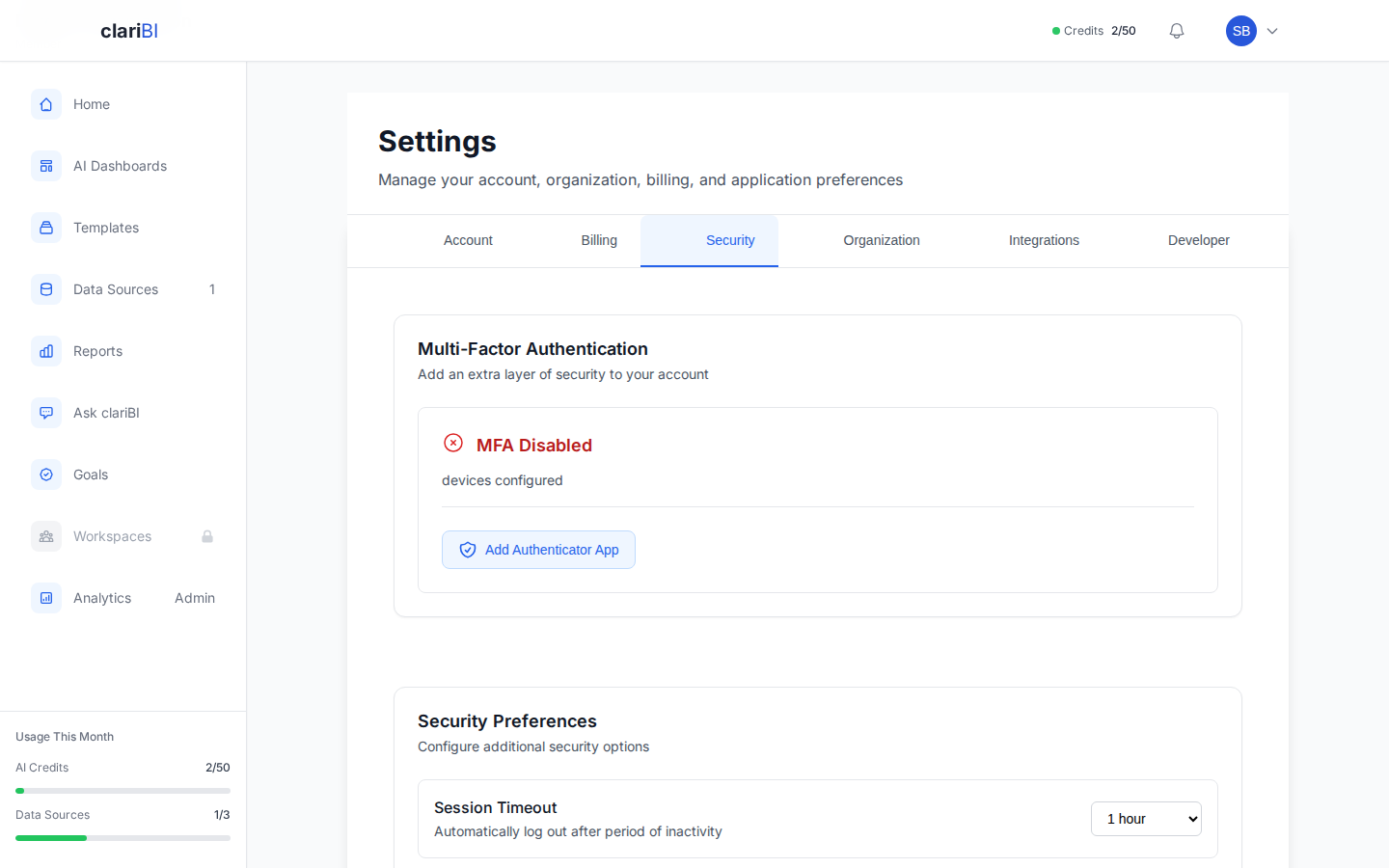
- Open Settings > Security. The Multi-Factor Authentication section shows whether MFA is on.
- Click Add Authenticator App.
- Scan the QR code with your app. If you cannot scan it, click Show Manual Entry Key and type the key into the app.
- Click I've Added the Code, enter the 6-digit code from the app and click Complete Setup.
- Click Generate Backup Codes and save them in a password manager or print them. Each backup code works once.
Signing in
- Sign in with your email and password, or with Google or Facebook.
- Enter the 6-digit code from your app, or click Use backup code instead.
The code is asked for after every sign-in method except your organization's single sign-on on Enterprise, where your identity provider's own rules apply (see single sign-on). API keys and MCP keys are not tied to a sign-in and do not use MFA; keep them secret.
Require it for your organization
Owners and administrators can require two-factor authentication for every member in Settings > Security > Two-factor sign-in for your organization:
- Tick Require two-factor sign-in for every member.
- Set Days to set it up (0 to 90). The period starts when you switch the requirement on, or on the day a member joins if that is later.
- Click Save. The list below shows who has not set it up yet and their date.
Until their date, members who have not set it up see a reminder. After it, they can still sign in, but clariBI only opens the security settings until they add an authenticator. Members who sign in through the organization's single sign-on are not affected.
More than one device
You can add a second authenticator (for example a tablet) with Add Authenticator App. The list shows each device and when it was last used. With two or more devices you can choose which one is primary (Make Primary) and Remove the others; removing a device asks for your password. To move to a new phone, add the new one first, then remove the old one.
If you lose your phone
- Sign in with one of your backup codes.
- In Settings > Security, add your new phone as an authenticator.
- Remove the old device and generate new backup codes.
If you have neither your phone nor a backup code, write to support@claribi.com from the account's email address.
Related
Try it on your own data
The 14-day trial includes 50 AI credits and needs no card. When it ends you move to the Free plan and keep your data.