Dashboards Updated Automatically
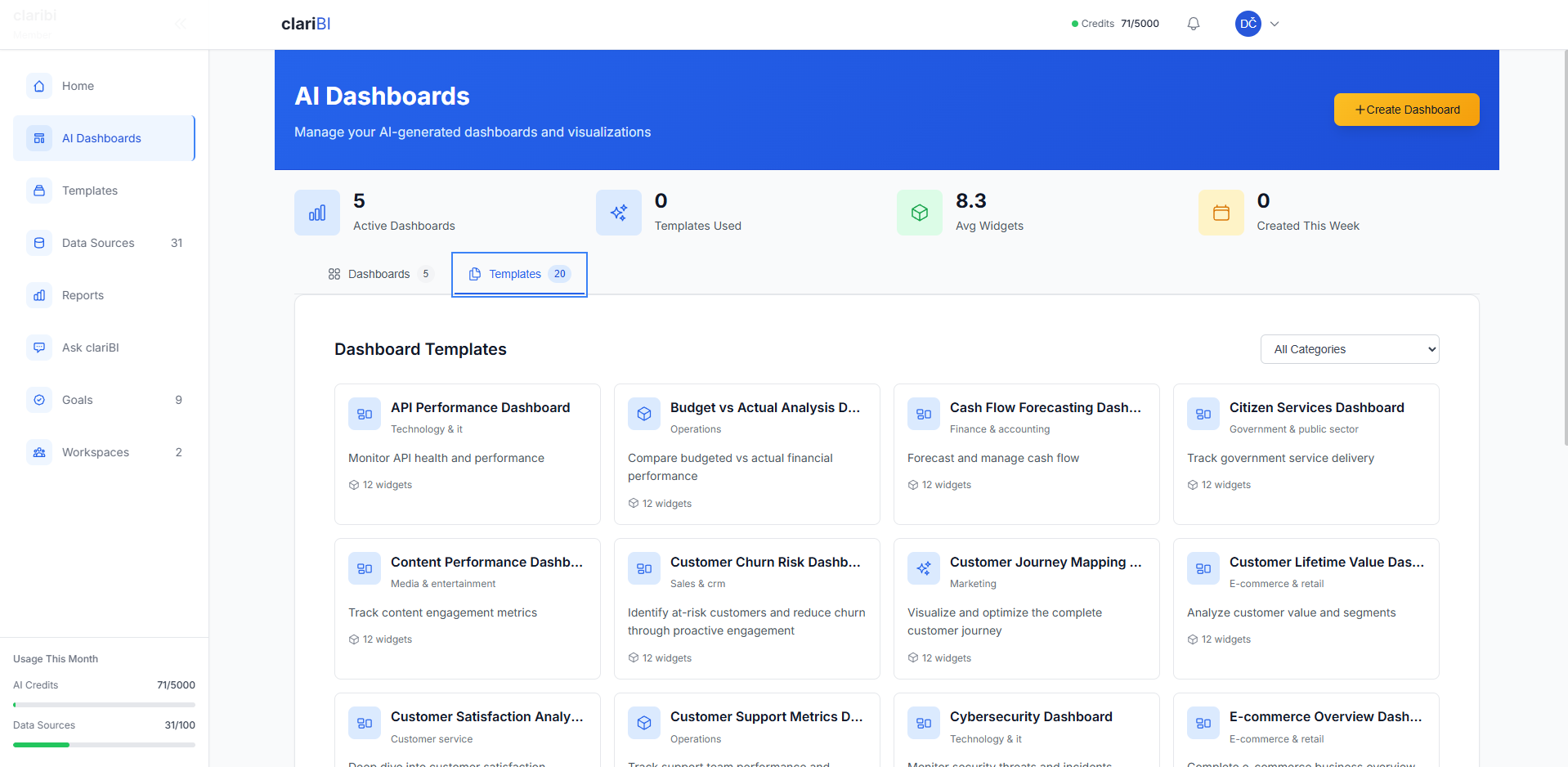
Get fresh insights automatically. clariBI's automated dashboards update through intelligent batch processing on your configured schedule. No manual refreshing required.
Sound Familiar?
"I have to log into 6 different tools before I can even start my day"
Revenue in one place, traffic in another, orders somewhere else. By the time you've gathered the data, the morning's half gone.
"Our Monday morning meetings are just everyone reading from different spreadsheets"
Nobody's looking at the same numbers because everyone pulled their data at different times from different sources.
"I noticed the dip in sales, but I only found out about the Facebook ad problem a week later"
When data lives in silos, you miss the connections. That spike in support tickets? It was related to a bug introduced in last week's release.
"I know we should be looking at the data more often, but who has the time?"
You're not lazy. You're busy. The problem is the data doesn't come to you. You have to go hunt for it.
What You Can See in One Place
"How much did we make from customers who came from Facebook ads?"
Combines: Facebook Ads + Stripe
"Which blog posts led to the most signups this month?"
Combines: Google Analytics + CRM
"Are our best customers coming from organic or paid traffic?"
Combines: Analytics + Payment data
"What's our real cost per customer acquisition across all channels?"
Combines: All ad platforms + Stripe
How It Works
Get from data to insights in three simple steps
1. Connect Your Tools
Connect natively to Google Analytics, Meta Ads, Jira, your databases, and more. Or upload data from Stripe, Shopify, and other tools as a CSV - native connectors coming soon.
Most connections take under 2 minutes
2. AI Analyzes Your Data
Ask questions in natural language. Our AI analyzes your data and generates insights, charts, and recommendations.
Conversational AI interface
3. View Your Dashboard
See your insights visualized in interactive dashboards. Share with your team or export reports.
Interactive visualizations
Data Processing Architecture
Your Tools
Stripe, Shopify, Analytics, CRM, etc.
Connect
Upload or integrate
clariBI Processing
AI analysis & insights
Generate
Charts & visualizations
Your Dashboard
View insights
Perfect for Multi-Source Intelligence
When you need to connect data across multiple platforms for complete business insights
Multi-Channel Campaign Intelligence
Cross-platform optimization
The Challenge
You're running campaigns across Facebook, Google, and email. This morning's unified dashboard shows Facebook cost-per-acquisition is $45, Google is $32, but email conversions have a $12 CAC with 3x higher lifetime value.
Multi-Source Action
You reallocate budget from Facebook to email marketing, increase Google spend on high-LTV keywords, and discover email subscribers convert better from Google ads (insights impossible with single-platform data).
Single-Source View
Miss cross-channel insights
With clariBI
40% better ROI
Revenue vs. Operations Correlation
Cross-platform insights
The Challenge
Yesterday's unified dashboard shows Stripe revenue dropped 25%, Google Analytics shows normal traffic, but your customer support tool shows a 200% spike in "checkout failed" tickets, and your hosting provider had a 3-hour partial outage.
Cross-Platform Action
You immediately connect the dots: hosting issues caused payment failures, not traffic problems. You implement backup payment processing and set up correlation alerts to catch similar issues faster next time.
Siloed Data
Root cause unclear
With clariBI
Fast root cause analysis
Customer Journey Intelligence
Multi-touchpoint optimization
The Discovery
Your unified dashboard reveals customers who read your blog (WordPress), then receive email nurture sequences (Mailchimp), and finally convert via direct Stripe checkout have 5x higher lifetime value than social media direct buyers.
Multi-Platform Strategy
You create content funnels connecting blog topics to email sequences to product offers, track the full journey across platforms, and optimize each touchpoint for maximum customer lifetime value.
Platform Silos
Miss journey insights
With clariBI
5x higher LTV discovered
Operations & Sales Correlation
Cross-department insights
The Pattern
Your unified dashboard shows support tickets (Zendesk) spike exactly 3 days after product sales peaks (Stripe), but refund requests (payment data) correlate with longer ticket resolution times. Sales team celebrates growth while support struggles.
Cross-Department Strategy
You plan support staffing based on sales trends, create proactive onboarding for high-volume sales days, and identify which product features drive both sales and support costs.
Department Silos
Reactive operations
With clariBI
Proactive operations
Dashboard Features
Everything you need for full business monitoring
Mobile Access
Access your dashboards on your phone. Perfect for checking metrics on-the-go or during meetings.
Multi-Source Insights
Combine data from all your business tools into unified dashboards. See correlations across Stripe, Google Analytics, CRM and more.
Fresh Data Display
Charts and counters display your latest data clearly, making it easy to see trends and changes from day to day.
Team Sharing
Everyone on your team sees the same fresh data. Perfect for team meetings and collaborative decision-making.
Offline Resilience
Dashboards continue working during brief internet outages and sync automatically when connection resumes.
Automated Updates
Your dashboards refresh automatically based on your sync schedule, keeping your data current.
Stop Starting Your Day Behind
Wake up to dashboards that are already up to date. Ask questions that span all your data sources. No more copy-pasting into spreadsheets.
No credit card required. Connect your first data source in under 5 minutes.