API Authentication
Estimated reading time: 12 minutes
clariBI supports two authentication methods: JWT tokens for interactive sessions and API keys for server-to-server integrations. Choose the method that fits your use case.
JWT Token Authentication
JWT (JSON Web Token) is the primary auth method, used by the clariBI web app and ideal for user-facing integrations.
Obtaining a Token
POST /api/auth/login/
Content-Type: application/json

{
  "email": "user@company.com",
  "password": "your-password"
}
Response:
{
  "access": "eyJ0eXAiOiJKV1Qi...",
  "refresh": "eyJ0eXAiOiJKV1Qi...",
  "user": {
    "id": 1,
    "email": "user@company.com",
    "organization": "Acme Corp"
  }
}
Using the Token
Include the access token in the Authorization header:
GET /api/reports/
Authorization: Bearer eyJ0eXAiOiJKV1Qi...
Token Expiry and Refresh
Access tokens expire after 1 hour. When expired, use the refresh token:
POST /api/auth/token/refresh/
Content-Type: application/json

{
  "refresh": "eyJ0eXAiOiJKV1Qi..."
}
Refresh tokens are valid for 7 days. After that, the user must log in again.
API Key Authentication
API keys are better for automated scripts, CI/CD pipelines, and server-to-server communication.
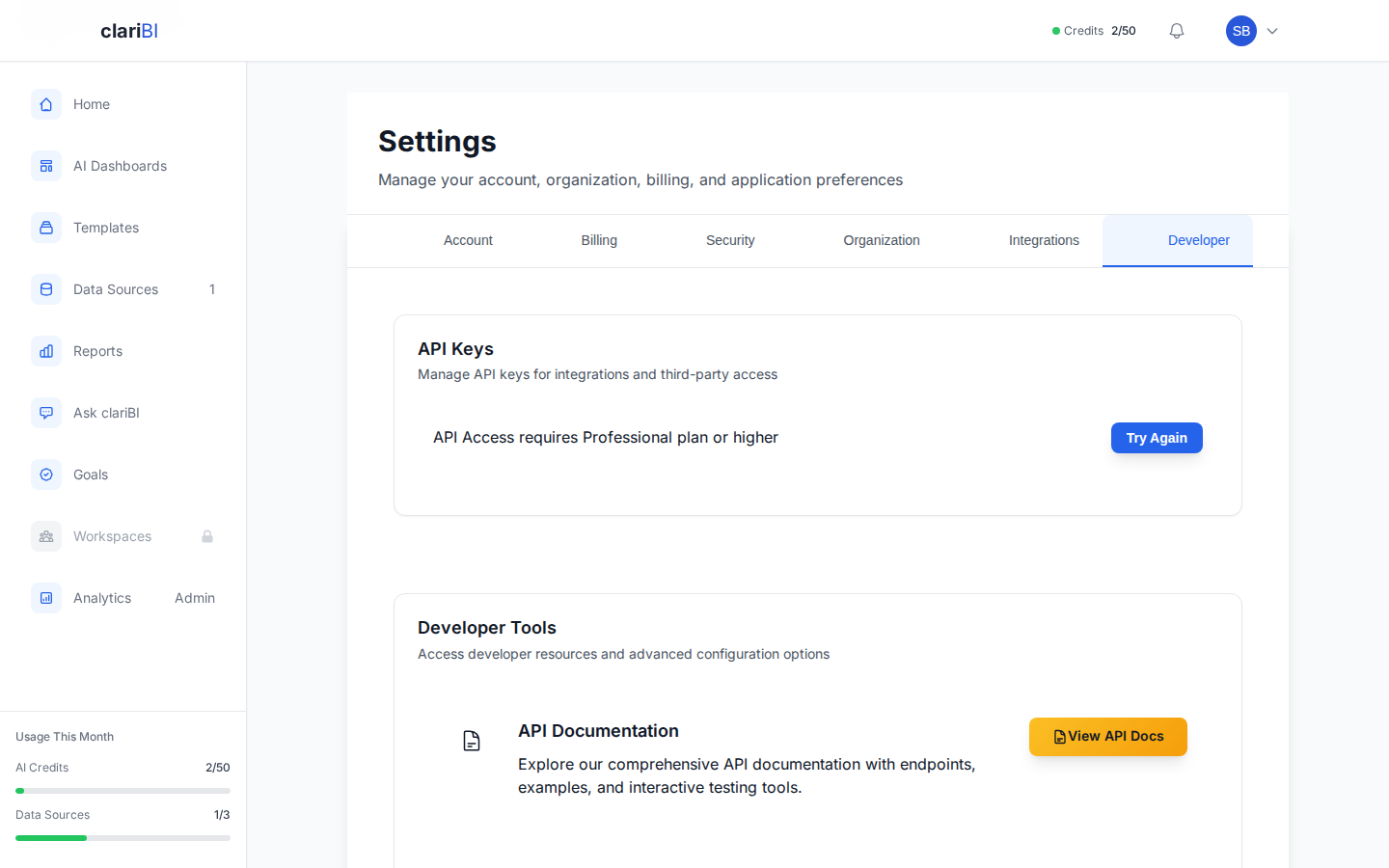
Plan Requirement
API key access to the external API (/api/v1/) requires a Professional ($199/mo) or Enterprise ($999/mo) plan. Requests from keys on lower-tier plans receive a 401 error with an upgrade prompt.
Creating an API Key
- Go to Settings > Developer > API Keys
- Click Generate New Key
- Enter a name and optional description (e.g., "Production ETL Pipeline")
- Choose an expiry: 30 days, 90 days, 1 year, or never expires
- Copy the key immediately (it is shown only once)
Using an API Key
GET /api/reports/
Authorization: Bearer claribi_abc123def456...
Key Permissions
API keys inherit the organization role of the user who created them. A Viewer's API key cannot perform Admin actions. The key has the same access as the user who created it.
Security Best Practices
- Store API keys in environment variables, never in code
- Set an expiry date on keys when possible
- Rotate keys periodically (every 90 days recommended)
- Revoke unused keys promptly
- Use JWT tokens for user-facing apps, API keys for automated systems
Important
If an API key is compromised, revoke it immediately from Settings > Developer > API Keys. All requests using that key will fail instantly.
MFA and API Authentication
API keys bypass MFA by design; they are intended for automated systems. JWT login for accounts with MFA enabled requires the TOTP code as an additional field in the login request.
Permission Scopes
When creating an API key, you can restrict it to specific permission scopes. Each scope grants access to a defined set of endpoints. If no scopes are specified, the key inherits the full permissions of the creating user.
| Scope | Grants | Endpoint |
|---|---|---|
reports:read |
List and retrieve reports | GET /api/v1/reports/, GET /api/v1/reports/{id}/ |
reports:generate |
Generate new reports | POST /api/v1/reports/generate/ |
reports:delete |
Delete reports | DELETE /api/v1/reports/{id}/ |
dashboards:read |
List and retrieve dashboards | GET /api/v1/dashboards/ |
dashboards:create |
Create dashboards | POST /api/v1/dashboards/ |
dashboards:update |
Update dashboards | PATCH /api/v1/dashboards/{id}/ |
dashboards:delete |
Delete dashboards | DELETE /api/v1/dashboards/{id}/ |
dashboards:refresh |
Refresh dashboard data | POST /api/v1/dashboards/{id}/refresh/ |
data_sources:read |
List and retrieve data sources | GET /api/v1/data-sources/ |
usage:read |
View credit usage | GET /api/v1/usage/ |
goals:read |
List and retrieve goals, milestones, and progress | GET /api/v1/goals/, GET /api/v1/goals/{id}/, GET /api/v1/goals/{id}/progress/ |
reports:share |
Generate and revoke public share links for reports | POST/DELETE /api/v1/reports/{id}/public-link/ |
dashboards:share |
Generate and revoke public share links for dashboards | POST/DELETE /api/v1/dashboards/{id}/public-link/ |
Least-privilege principle
Always assign the narrowest set of scopes your integration needs. For example, a read-only dashboard embed only requires dashboards:read.
Specifying Scopes
Pass scopes as a list when creating the key via the API:
POST /api/auth/api-keys/
Content-Type: application/json
Authorization: Bearer eyJ0eXAiOiJKV1Qi...

{
  "name": "Dashboard Embed Key",
  "scopes": ["dashboards:read", "data_sources:read"],
  "expires_in_days": 90
}
If a key attempts to access an endpoint outside its scopes, the API returns HTTP 403 Forbidden.
Related
Ready to try clariBI?
Start your free 14-day trial. No credit card required.