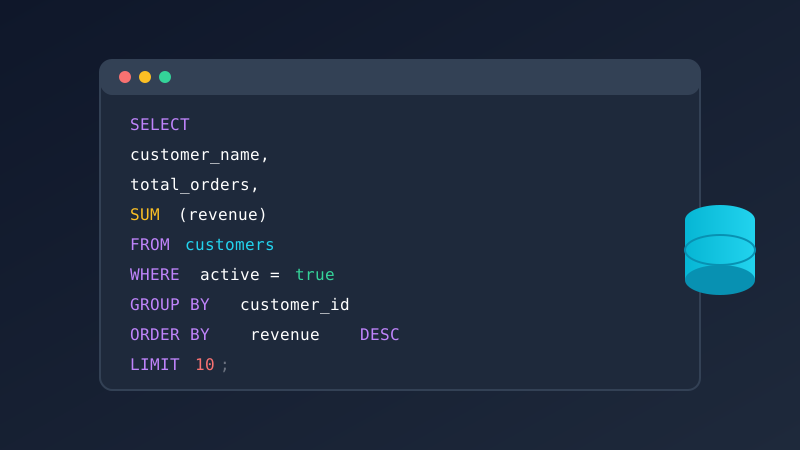
SQL remains the single most valuable technical skill a business analyst can learn. While dashboards and no-code tools have made data more accessible than ever, nothing matches the precision, flexibility, and power of writing your own SQL queries. Whether you're pulling customer churn metrics for the executive team, building cohort retention reports, or investigating revenue anomalies at 2 AM before a board meeting, SQL gives you direct access to the answers hiding in your data. This guide takes you from the essential fundamentals through advanced techniques that separate competent analysts from truly indispensable ones, complete with real-world business query examples you can adapt today.
Why Business Analysts Need SQL in 2026 and Beyond
The modern business analyst sits at the intersection of business strategy and data engineering. Stakeholders expect answers in hours, not days. Data teams are overwhelmed with requests. The analyst who can self-serve data through SQL becomes the most valuable person in the room. Here's why SQL proficiency matters more than ever for data analysis professionals.
Self-Service Data Access
Every request you send to the data engineering team adds latency. A simple question like "what was our customer acquisition cost by channel last quarter" might take three days to get answered through a ticket system. With SQL, you answer it yourself in five minutes. You eliminate the bottleneck and become dramatically more productive. Organizations that empower analysts with SQL access see a measurable reduction in time-to-insight, often cutting reporting cycles from days to hours.
Data Validation and Trust
When a dashboard shows a number, do you trust it completely? Experienced analysts know that dashboards can hide data quality issues, broken joins, and filter errors. SQL lets you validate every number by going directly to the source. You can inspect the raw data, check for nulls and duplicates, and verify that aggregations match expectations. This ability to audit and verify is what builds trust with leadership.
Career Advancement
According to industry surveys, SQL is the most requested skill in business analyst job postings, appearing in over 60 percent of listings. Analysts who can write complex queries command higher salaries and have access to senior roles that require deep data fluency. The skill gap between basic SELECT statements and advanced window functions is exactly where career opportunities live.
- Speed: Answer data questions in minutes instead of waiting days for engineering support
- Accuracy: Validate dashboard numbers and catch data quality issues before they reach stakeholders
- Independence: Stop being blocked by data team backlogs and take ownership of your analyses
- Depth: Perform analyses that are impossible with point-and-click tools alone
- Communication: Speak the same language as data engineers and build stronger cross-functional relationships
Essential SQL Commands: The Foundation
Before diving into advanced techniques, let's make sure the fundamentals are rock-solid. These five commands form the backbone of every SQL query you will ever write. Mastering them isn't optional for any business analyst working with data analysis projects.
SELECT and FROM: Retrieving Data
Every SQL query starts with SELECT, which specifies which columns you want, and FROM, which specifies which table to pull them from. Think of it as telling the database "show me these fields from that table."
-- Basic column selection
SELECT
 customer_id,
 first_name,
 last_name,
 email,
 signup_date
FROM customers;

-- Select all columns (use sparingly in production)
SELECT * FROM customers;

-- Aliasing columns for readability
SELECT
 customer_id AS id,
 first_name || ' ' || last_name AS full_name,
 email AS contact_email,
 signup_date AS joined_on
FROM customers;
WHERE: Filtering Your Data
The WHERE clause filters rows based on conditions. This is where you narrow millions of records down to exactly what you need. Mastering WHERE conditions is essential because almost every business question involves some form of filtering, whether it's a date range, customer segment, or status condition.
-- Filter by date range
SELECT order_id, customer_id, total_amount, order_date
FROM orders
WHERE order_date BETWEEN '2024-01-01' AND '2024-12-31';

-- Multiple conditions with AND/OR
SELECT customer_id, first_name, last_name, lifetime_value
FROM customers
WHERE lifetime_value > 1000
 AND signup_date >= '2024-01-01'
 AND status = 'active';

-- IN clause for multiple values
SELECT product_name, category, revenue
FROM products
WHERE category IN ('Electronics', 'Software', 'Services')
 AND revenue > 0;

-- Pattern matching with LIKE
SELECT first_name, last_name, email
FROM customers
WHERE email LIKE '%@gmail.com'
 AND first_name IS NOT NULL;
JOIN: Combining Tables
Real business data lives across multiple tables. Customers are in one table, their orders in another, and product details in a third. JOIN lets you combine these tables based on shared keys. Understanding joins is arguably the most important SQL skill for business analysts because every meaningful analysis requires data from multiple sources.
-- INNER JOIN: Only matching records from both tables
SELECT
 c.customer_id,
 c.first_name,
 c.last_name,
 o.order_id,
 o.total_amount,
 o.order_date
FROM customers c
INNER JOIN orders o ON c.customer_id = o.customer_id
WHERE o.order_date >= '2024-01-01';

-- LEFT JOIN: All customers, even those without orders
SELECT
 c.customer_id,
 c.first_name,
 COUNT(o.order_id) AS order_count,
 COALESCE(SUM(o.total_amount), 0) AS total_spent
FROM customers c
LEFT JOIN orders o ON c.customer_id = o.customer_id
GROUP BY c.customer_id, c.first_name;

-- Multiple JOINs for a complete picture
SELECT
 c.first_name,
 c.last_name,
 o.order_id,
 p.product_name,
 oi.quantity,
 oi.unit_price,
 oi.quantity * oi.unit_price AS line_total
FROM customers c
INNER JOIN orders o ON c.customer_id = o.customer_id
INNER JOIN order_items oi ON o.order_id = oi.order_id
INNER JOIN products p ON oi.product_id = p.product_id
WHERE o.order_date >= '2024-06-01';
GROUP BY: Aggregating Results
GROUP BY is how you summarize data. Instead of seeing every individual row, you collapse rows into groups and compute aggregates like SUM, COUNT, AVG, MIN, and MAX. This is the command that transforms raw transaction data into the executive-level summaries your stakeholders actually want to see.
-- Revenue by month
SELECT
 DATE_TRUNC('month', order_date) AS month,
 COUNT(order_id) AS total_orders,
 SUM(total_amount) AS revenue,
 AVG(total_amount) AS avg_order_value,
 COUNT(DISTINCT customer_id) AS unique_customers
FROM orders
WHERE order_date >= '2024-01-01'
GROUP BY DATE_TRUNC('month', order_date)
ORDER BY month;

-- Top customers by spending with HAVING filter
SELECT
 c.customer_id,
 c.first_name,
 c.last_name,
 COUNT(o.order_id) AS order_count,
 SUM(o.total_amount) AS total_spent
FROM customers c
INNER JOIN orders o ON c.customer_id = o.customer_id
GROUP BY c.customer_id, c.first_name, c.last_name
HAVING SUM(o.total_amount) > 5000
ORDER BY total_spent DESC;
ORDER BY: Sorting Results
ORDER BY controls the sequence of your results. While it seems simple, proper sorting is critical for reports, top-N analyses, and making your output immediately useful to stakeholders who need to see the most important data first.
-- Sort by revenue descending, then by name for ties
SELECT
 product_name,
 category,
 SUM(revenue) AS total_revenue,
 COUNT(*) AS units_sold
FROM sales
GROUP BY product_name, category
ORDER BY total_revenue DESC, product_name ASC
LIMIT 20;
Advanced SQL: Window Functions
Window functions are the gateway to advanced SQL for business analysts. They let you perform calculations across sets of rows that are related to the current row without collapsing those rows into a single output like GROUP BY does. Once you master window functions, you can build sophisticated analytics that would be nearly impossible with basic SQL alone. This is the skill that separates junior analysts from senior ones.
ROW_NUMBER and RANK
ROW_NUMBER assigns a unique sequential number to each row within a partition. RANK does the same but handles ties by giving the same rank to identical values. These are essential for "top N per group" queries, which come up constantly in business reporting.
-- Top 3 products by revenue in each category
SELECT *
FROM (
 SELECT
 product_name,
 category,
 SUM(revenue) AS total_revenue,
 ROW_NUMBER() OVER (
 PARTITION BY category
 ORDER BY SUM(revenue) DESC
 ) AS rank_in_category
 FROM sales
 GROUP BY product_name, category
) ranked
WHERE rank_in_category <= 3
ORDER BY category, rank_in_category;

-- Rank customers by lifetime value within their signup cohort
SELECT
 customer_id,
 first_name,
 DATE_TRUNC('month', signup_date) AS cohort_month,
 lifetime_value,
 RANK() OVER (
 PARTITION BY DATE_TRUNC('month', signup_date)
 ORDER BY lifetime_value DESC
 ) AS value_rank
FROM customers
WHERE status = 'active';
LAG and LEAD: Comparing Across Rows
LAG looks at a previous row and LEAD looks at a following row. These functions are invaluable for calculating period-over-period changes, identifying trends, and spotting anomalies in sequential data. Any time you need to compare this month to last month or this week to the previous week, LAG and LEAD are your tools.
-- Month-over-month revenue change
SELECT
 month,
 revenue,
 LAG(revenue) OVER (ORDER BY month) AS prev_month_revenue,
 revenue - LAG(revenue) OVER (ORDER BY month) AS revenue_change,
 ROUND(
 (revenue - LAG(revenue) OVER (ORDER BY month))::NUMERIC
 / NULLIF(LAG(revenue) OVER (ORDER BY month), 0) * 100,
 1
 ) AS pct_change
FROM (
 SELECT
 DATE_TRUNC('month', order_date) AS month,
 SUM(total_amount) AS revenue
 FROM orders
 WHERE order_date >= '2023-01-01'
 GROUP BY DATE_TRUNC('month', order_date)
) monthly_revenue
ORDER BY month;

-- Days between consecutive customer orders
SELECT
 customer_id,
 order_date,
 LAG(order_date) OVER (
 PARTITION BY customer_id
 ORDER BY order_date
 ) AS previous_order_date,
 order_date - LAG(order_date) OVER (
 PARTITION BY customer_id
 ORDER BY order_date
 ) AS days_between_orders
FROM orders
ORDER BY customer_id, order_date;
Running Totals and Moving Averages
Cumulative sums and moving averages are fundamental to financial reporting and trend analysis. Window functions make these calculations elegant and efficient. Running totals let you track progress toward goals, while moving averages smooth out noise to reveal underlying trends.
-- Cumulative revenue through the year
SELECT
 DATE_TRUNC('month', order_date) AS month,
 SUM(total_amount) AS monthly_revenue,
 SUM(SUM(total_amount)) OVER (
 ORDER BY DATE_TRUNC('month', order_date)
 ROWS UNBOUNDED PRECEDING
 ) AS cumulative_revenue
FROM orders
WHERE order_date >= '2024-01-01' AND order_date < '2025-01-01'
GROUP BY DATE_TRUNC('month', order_date)
ORDER BY month;

-- 3-month moving average of revenue
SELECT
 month,
 monthly_revenue,
 ROUND(
 AVG(monthly_revenue) OVER (
 ORDER BY month
 ROWS BETWEEN 2 PRECEDING AND CURRENT ROW
 ), 2
 ) AS three_month_moving_avg
FROM (
 SELECT
 DATE_TRUNC('month', order_date) AS month,
 SUM(total_amount) AS monthly_revenue
 FROM orders
 GROUP BY DATE_TRUNC('month', order_date)
) monthly
ORDER BY month;
Common Table Expressions (CTEs)
CTEs, written with the WITH keyword, let you break complex queries into readable, named steps. Think of them as temporary named result sets that exist only for the duration of your query. CTEs are one of the most useful tools for business analysts because they make complicated multi-step analyses readable and maintainable. Instead of nesting subqueries five levels deep, you write each logical step as its own CTE.
-- Customer segmentation using CTEs
WITH customer_metrics AS (
 SELECT
 c.customer_id,
 c.first_name,
 c.last_name,
 c.signup_date,
 COUNT(o.order_id) AS total_orders,
 SUM(o.total_amount) AS total_spent,
 MAX(o.order_date) AS last_order_date,
 AVG(o.total_amount) AS avg_order_value
 FROM customers c
 LEFT JOIN orders o ON c.customer_id = o.customer_id
 GROUP BY c.customer_id, c.first_name, c.last_name, c.signup_date
),
segmented_customers AS (
 SELECT
 *,
 CASE
 WHEN total_spent >= 10000 AND total_orders >= 20 THEN 'VIP'
 WHEN total_spent >= 5000 AND total_orders >= 10 THEN 'High Value'
 WHEN total_spent >= 1000 AND total_orders >= 3 THEN 'Regular'
 WHEN total_orders >= 1 THEN 'Occasional'
 ELSE 'Inactive'
 END AS segment,
 CURRENT_DATE - last_order_date AS days_since_last_order
 FROM customer_metrics
)
SELECT
 segment,
 COUNT(*) AS customer_count,
 ROUND(AVG(total_spent), 2) AS avg_lifetime_value,
 ROUND(AVG(total_orders), 1) AS avg_orders,
 ROUND(AVG(days_since_last_order), 0) AS avg_days_since_purchase
FROM segmented_customers
GROUP BY segment
ORDER BY avg_lifetime_value DESC;
Subqueries
Subqueries are queries nested inside other queries. While CTEs are often cleaner for complex logic, subqueries remain essential for certain patterns like correlated lookups and EXISTS checks. Understanding when to use a subquery versus a CTE versus a JOIN is a hallmark of SQL fluency.
-- Customers who spent more than the average
SELECT customer_id, first_name, last_name, lifetime_value
FROM customers
WHERE lifetime_value > (
 SELECT AVG(lifetime_value) FROM customers WHERE status = 'active'
)
ORDER BY lifetime_value DESC;

-- Products that have never been ordered
SELECT product_id, product_name, category, price
FROM products p
WHERE NOT EXISTS (
 SELECT 1 FROM order_items oi WHERE oi.product_id = p.product_id
);

-- Correlated subquery: each customer's most recent order
SELECT
 c.customer_id,
 c.first_name,
 c.last_name,
 (
 SELECT MAX(o.order_date)
 FROM orders o
 WHERE o.customer_id = c.customer_id
 ) AS most_recent_order,
 (
 SELECT SUM(o.total_amount)
 FROM orders o
 WHERE o.customer_id = c.customer_id
 ) AS lifetime_spent
FROM customers c
WHERE c.status = 'active';
Date Functions for Business Reporting
Business reporting revolves around dates. Quarters, fiscal years, month-over-month comparisons, year-to-date totals: virtually every business question involves a time dimension. Mastering date functions in SQL makes you dramatically more efficient at building the time-based analyses that stakeholders constantly request.
-- Date truncation for time-period grouping
SELECT
 DATE_TRUNC('quarter', order_date) AS quarter,
 COUNT(order_id) AS orders,
 SUM(total_amount) AS revenue,
 COUNT(DISTINCT customer_id) AS unique_buyers
FROM orders
WHERE order_date >= '2024-01-01'
GROUP BY DATE_TRUNC('quarter', order_date)
ORDER BY quarter;

-- Year-over-year comparison
SELECT
 EXTRACT(MONTH FROM order_date) AS month_num,
 TO_CHAR(order_date, 'Month') AS month_name,
 SUM(CASE WHEN EXTRACT(YEAR FROM order_date) = 2024 THEN total_amount ELSE 0 END) AS revenue_2024,
 SUM(CASE WHEN EXTRACT(YEAR FROM order_date) = 2023 THEN total_amount ELSE 0 END) AS revenue_2023,
 ROUND(
 (SUM(CASE WHEN EXTRACT(YEAR FROM order_date) = 2024 THEN total_amount ELSE 0 END) -
 SUM(CASE WHEN EXTRACT(YEAR FROM order_date) = 2023 THEN total_amount ELSE 0 END))::NUMERIC /
 NULLIF(SUM(CASE WHEN EXTRACT(YEAR FROM order_date) = 2023 THEN total_amount ELSE 0 END), 0) * 100,
 1
 ) AS yoy_growth_pct
FROM orders
WHERE order_date >= '2023-01-01' AND order_date < '2025-01-01'
GROUP BY EXTRACT(MONTH FROM order_date), TO_CHAR(order_date, 'Month')
ORDER BY month_num;

-- Days since event calculations
SELECT
 customer_id,
 first_name,
 signup_date,
 CURRENT_DATE - signup_date AS days_as_customer,
 EXTRACT(YEAR FROM AGE(CURRENT_DATE, signup_date)) AS years_as_customer
FROM customers
WHERE status = 'active'
ORDER BY days_as_customer DESC;
Real-World Business Query Examples
Theory is important, but the real value of SQL for business analysts comes from applying it to actual business problems. The following queries represent analyses that business analysts perform regularly. Each one solves a specific business question that stakeholders care about. Study these patterns and adapt them to your own data.
Churn Analysis Query
Customer churn is one of the most critical metrics for any subscription or recurring-revenue business. This query identifies customers who haven't made a purchase within the expected timeframe and categorizes them by churn risk. Understanding churn patterns is essential for proactive retention strategies.
-- Churn risk segmentation based on purchase recency
WITH customer_activity AS (
 SELECT
 c.customer_id,
 c.first_name,
 c.last_name,
 c.email,
 c.signup_date,
 MAX(o.order_date) AS last_order_date,
 COUNT(o.order_id) AS total_orders,
 SUM(o.total_amount) AS total_revenue,
 CURRENT_DATE - MAX(o.order_date) AS days_since_last_order,
 AVG(o.total_amount) AS avg_order_value
 FROM customers c
 LEFT JOIN orders o ON c.customer_id = o.customer_id
 WHERE c.status = 'active'
 GROUP BY c.customer_id, c.first_name, c.last_name, c.email, c.signup_date
)
SELECT
 customer_id,
 first_name,
 last_name,
 email,
 total_orders,
 ROUND(total_revenue, 2) AS total_revenue,
 last_order_date,
 days_since_last_order,
 CASE
 WHEN days_since_last_order IS NULL THEN 'Never Purchased'
 WHEN days_since_last_order <= 30 THEN 'Active'
 WHEN days_since_last_order <= 60 THEN 'At Risk'
 WHEN days_since_last_order <= 90 THEN 'High Churn Risk'
 ELSE 'Churned'
 END AS churn_status,
 ROUND(avg_order_value, 2) AS avg_order_value
FROM customer_activity
ORDER BY days_since_last_order DESC NULLS FIRST;
Cohort Retention Query
Cohort retention analysis groups customers by when they first signed up and tracks what percentage remain active over subsequent months. This is the gold standard for measuring product-market fit and understanding long-term customer value. Every investor and board member wants to see cohort retention charts.
-- Monthly cohort retention analysis
WITH customer_cohorts AS (
 SELECT
 customer_id,
 DATE_TRUNC('month', signup_date) AS cohort_month
 FROM customers
),
monthly_activity AS (
 SELECT
 o.customer_id,
 DATE_TRUNC('month', o.order_date) AS activity_month
 FROM orders o
 GROUP BY o.customer_id, DATE_TRUNC('month', o.order_date)
),
cohort_retention AS (
 SELECT
 cc.cohort_month,
 ma.activity_month,
 EXTRACT(YEAR FROM AGE(ma.activity_month, cc.cohort_month)) * 12 +
 EXTRACT(MONTH FROM AGE(ma.activity_month, cc.cohort_month)) AS months_since_signup,
 COUNT(DISTINCT cc.customer_id) AS active_customers
 FROM customer_cohorts cc
 INNER JOIN monthly_activity ma ON cc.customer_id = ma.customer_id
 WHERE ma.activity_month >= cc.cohort_month
 GROUP BY cc.cohort_month, ma.activity_month
),
cohort_sizes AS (
 SELECT
 cohort_month,
 COUNT(DISTINCT customer_id) AS cohort_size
 FROM customer_cohorts
 GROUP BY cohort_month
)
SELECT
 TO_CHAR(cr.cohort_month, 'YYYY-MM') AS cohort,
 cs.cohort_size,
 cr.months_since_signup,
 cr.active_customers,
 ROUND(cr.active_customers::NUMERIC / cs.cohort_size * 100, 1) AS retention_pct
FROM cohort_retention cr
INNER JOIN cohort_sizes cs ON cr.cohort_month = cs.cohort_month
WHERE cr.months_since_signup <= 12
ORDER BY cr.cohort_month, cr.months_since_signup;
Funnel Analysis Query
Funnel analysis tracks how users progress through a series of steps, such as visiting a page, signing up, activating, and making a purchase. Understanding where users drop off is critical for optimizing conversion rates and identifying the highest-impact areas for improvement.
-- Conversion funnel analysis
WITH funnel_steps AS (
 SELECT
 'Step 1: Website Visit' AS step_name,
 1 AS step_order,
 COUNT(DISTINCT visitor_id) AS users
 FROM website_visits
 WHERE visit_date >= '2024-01-01' AND visit_date < '2024-04-01'

 UNION ALL

 SELECT
 'Step 2: Signup' AS step_name,
 2 AS step_order,
 COUNT(DISTINCT customer_id) AS users
 FROM customers
 WHERE signup_date >= '2024-01-01' AND signup_date < '2024-04-01'

 UNION ALL

 SELECT
 'Step 3: First Order' AS step_name,
 3 AS step_order,
 COUNT(DISTINCT customer_id) AS users
 FROM orders
 WHERE order_date >= '2024-01-01' AND order_date < '2024-04-01'
 AND customer_id IN (
 SELECT customer_id FROM customers
 WHERE signup_date >= '2024-01-01' AND signup_date < '2024-04-01'
 )

 UNION ALL

 SELECT
 'Step 4: Repeat Purchase' AS step_name,
 4 AS step_order,
 COUNT(DISTINCT customer_id) AS users
 FROM (
 SELECT customer_id
 FROM orders
 WHERE order_date >= '2024-01-01' AND order_date < '2024-04-01'
 GROUP BY customer_id
 HAVING COUNT(order_id) >= 2
 ) repeat_buyers
)
SELECT
 step_name,
 users,
 LAG(users) OVER (ORDER BY step_order) AS previous_step_users,
 ROUND(
 users::NUMERIC / NULLIF(LAG(users) OVER (ORDER BY step_order), 0) * 100,
 1
 ) AS step_conversion_pct,
 ROUND(
 users::NUMERIC / NULLIF(FIRST_VALUE(users) OVER (ORDER BY step_order), 0) * 100,
 1
 ) AS overall_conversion_pct
FROM funnel_steps
ORDER BY step_order;
Revenue Trending with Month-over-Month Growth
This query provides a complete revenue dashboard showing monthly revenue alongside month-over-month and year-over-year growth rates. It's the kind of analysis that finance teams and executives review regularly to understand business trajectory and spot trends early.
-- Revenue trending with MoM and YoY growth
WITH monthly_revenue AS (
 SELECT
 DATE_TRUNC('month', order_date) AS month,
 SUM(total_amount) AS revenue,
 COUNT(DISTINCT order_id) AS order_count,
 COUNT(DISTINCT customer_id) AS customer_count,
 SUM(total_amount) / NULLIF(COUNT(DISTINCT order_id), 0) AS avg_order_value
 FROM orders
 WHERE order_date >= '2023-01-01'
 GROUP BY DATE_TRUNC('month', order_date)
)
SELECT
 TO_CHAR(month, 'YYYY-MM') AS period,
 ROUND(revenue, 2) AS revenue,
 order_count,
 customer_count,
 ROUND(avg_order_value, 2) AS aov,
 ROUND(
 (revenue - LAG(revenue, 1) OVER (ORDER BY month))::NUMERIC /
 NULLIF(LAG(revenue, 1) OVER (ORDER BY month), 0) * 100, 1
 ) AS mom_growth_pct,
 ROUND(
 (revenue - LAG(revenue, 12) OVER (ORDER BY month))::NUMERIC /
 NULLIF(LAG(revenue, 12) OVER (ORDER BY month), 0) * 100, 1
 ) AS yoy_growth_pct,
 SUM(revenue) OVER (
 ORDER BY month
 ROWS UNBOUNDED PRECEDING
 ) AS cumulative_revenue
FROM monthly_revenue
ORDER BY month;
Customer Segmentation Query
RFM (Recency, Frequency, Monetary) segmentation is one of the most widely used frameworks in customer analytics. This query scores every customer on three dimensions and assigns them to actionable segments that marketing and customer success teams can target with specific campaigns.
-- RFM Customer Segmentation
WITH rfm_scores AS (
 SELECT
 c.customer_id,
 c.first_name,
 c.last_name,
 c.email,
 CURRENT_DATE - MAX(o.order_date) AS recency_days,
 COUNT(o.order_id) AS frequency,
 SUM(o.total_amount) AS monetary,
 NTILE(5) OVER (ORDER BY MAX(o.order_date) ASC) AS recency_score,
 NTILE(5) OVER (ORDER BY COUNT(o.order_id) ASC) AS frequency_score,
 NTILE(5) OVER (ORDER BY SUM(o.total_amount) ASC) AS monetary_score
 FROM customers c
 INNER JOIN orders o ON c.customer_id = o.customer_id
 WHERE c.status = 'active'
 GROUP BY c.customer_id, c.first_name, c.last_name, c.email
)
SELECT
 customer_id,
 first_name,
 last_name,
 email,
 recency_days,
 frequency,
 ROUND(monetary, 2) AS monetary,
 recency_score,
 frequency_score,
 monetary_score,
 recency_score + frequency_score + monetary_score AS rfm_total,
 CASE
 WHEN recency_score >= 4 AND frequency_score >= 4 AND monetary_score >= 4 THEN 'Champions'
 WHEN recency_score >= 4 AND frequency_score >= 3 THEN 'Loyal Customers'
 WHEN recency_score >= 4 AND frequency_score <= 2 THEN 'New Customers'
 WHEN recency_score >= 3 AND frequency_score >= 3 THEN 'Potential Loyalists'
 WHEN recency_score <= 2 AND frequency_score >= 3 AND monetary_score >= 3 THEN 'At Risk'
 WHEN recency_score <= 2 AND frequency_score >= 4 AND monetary_score >= 4 THEN 'Can''t Lose Them'
 WHEN recency_score <= 2 AND frequency_score <= 2 THEN 'Lost'
 ELSE 'Needs Attention'
 END AS rfm_segment
FROM rfm_scores
ORDER BY rfm_total DESC;
Performance Tips for Business Analysts
Writing correct SQL is the first step. Writing efficient SQL is what makes you a professional. Slow queries waste compute resources, frustrate colleagues who share the same database, and delay the insights your stakeholders need. Here are the performance practices every business analyst should know when working with SQL for data analysis.
Indexing Awareness
You probably don't create indexes yourself, but understanding them helps you write faster queries. Indexes are like a book's table of contents: they let the database find specific rows without scanning every single record in the table. When you filter on a column that has an index, the query can be orders of magnitude faster.
- Filter on indexed columns: Primary keys and foreign keys are almost always indexed. Columns in WHERE clauses that you use frequently should also be indexed.
- Check with your DBA: If a query is slow, ask whether the columns in your WHERE and JOIN conditions are indexed. A missing index is the most common cause of slow queries.
- Composite indexes matter: An index on (customer_id, order_date) helps queries that filter on both columns, but may not help if you only filter on order_date alone.
Avoid SELECT * in Production Queries
SELECT * retrieves every column from a table, even ones you don't need. This wastes memory, increases network transfer time, and prevents the database from using covering indexes. Always specify only the columns you actually need. The exception is during exploratory analysis where you're examining what data is available, but even then, add a LIMIT clause.
-- Bad: Fetches all columns, slow on wide tables
SELECT * FROM orders WHERE order_date >= '2024-01-01';

-- Good: Only the columns you need
SELECT order_id, customer_id, total_amount, order_date
FROM orders
WHERE order_date >= '2024-01-01';

-- Acceptable for exploration, but always limit
SELECT * FROM orders LIMIT 100;
Understanding EXPLAIN Plans
EXPLAIN shows you how the database plans to execute your query. Learning to read explain plans helps you identify why a query is slow and what to change. You don't need to be an expert, but understanding the basics will make you a better analyst and a better collaborator with your data engineering team.
-- See the query execution plan
EXPLAIN ANALYZE
SELECT
 c.customer_id,
 c.first_name,
 COUNT(o.order_id) AS order_count
FROM customers c
INNER JOIN orders o ON c.customer_id = o.customer_id
WHERE o.order_date >= '2024-01-01'
GROUP BY c.customer_id, c.first_name;
Pro tip: Look for "Seq Scan" on large tables in your EXPLAIN output. A sequential scan means the database is reading every row in the table. If you see this on a table with millions of rows, talk to your DBA about adding an index on the columns used in your WHERE and JOIN clauses. Switching from a sequential scan to an index scan can reduce query time from minutes to milliseconds.
Additional Performance Best Practices
- Use LIMIT during development: Add LIMIT 100 while building and testing queries so you get fast feedback
- Filter early: Put your most restrictive WHERE conditions as early as possible, especially date ranges
- Avoid functions on indexed columns: Writing WHERE YEAR(order_date) = 2024 prevents index usage. Use WHERE order_date >= '2024-01-01' AND order_date < '2025-01-01' instead
- Use EXISTS instead of IN for large subqueries: EXISTS stops searching after the first match, which can be dramatically faster
- Be careful with DISTINCT: It forces a sort or hash operation. If you need DISTINCT, consider whether a better JOIN or GROUP BY would eliminate duplicates at the source
SQL vs No-Code Analytics Tools: When to Use Each
The rise of no-code analytics platforms hasn't made SQL obsolete. Instead, the most effective analysts use both approaches strategically. Understanding the strengths and limitations of each helps you choose the right tool for each situation and communicate that rationale to your team.
When SQL is the Right Choice
- Complex multi-table joins: When you need data from four or more tables with specific join conditions
- Custom calculations: Window functions, conditional aggregations, and business-specific formulas
- Data validation: Verifying dashboard numbers by querying the source data directly
- Ad-hoc exploration: Quick investigative queries to understand data patterns or anomalies
- Reproducible analysis: SQL queries serve as documentation of your analytical logic that anyone can review and rerun
- Large dataset handling: Processing millions of rows efficiently with database-native operations
When No-Code Tools Shine
- Quick visualizations: Building charts and dashboards for stakeholder presentations
- Sharing and collaboration: Enabling non-technical team members to explore data independently
- Standard metrics monitoring: Tracking well-defined KPIs that don't change frequently
- Rapid prototyping: Testing hypotheses before investing time in polished SQL analyses
- Scheduled reporting: Automated reports that run daily or weekly without manual intervention
The Best of Both Worlds
The most productive approach combines SQL fluency with modern analytics tools. Write SQL for data extraction and complex transformations, then use visualization tools for presentation. Many modern platforms, including AI-powered tools, let you describe what you want in plain language and handle the SQL generation behind the scenes. This hybrid approach maximizes both analytical depth and speed of delivery.
The smartest analysts aren't those who write the most complex SQL. They're the ones who know when SQL is the fastest path to an answer and when a different tool would be more efficient. Building this judgment comes with experience and exposure to a variety of analytical tools and techniques.
Practice Exercises
Reading about SQL isn't enough. You need to practice writing queries against real data to develop fluency. Here are five challenges designed to test the skills covered in this guide. Try solving each one before looking at the hints provided. Use a sample database with customers, orders, order_items, and products tables.
Challenge 1: Customer Lifetime Value Tiers
Write a query that calculates each customer's total spending, assigns them to a tier (Bronze under $500, Silver $500 to $2000, Gold $2000 to $5000, Platinum above $5000), and shows the count and average spending per tier. Use a CTE for the tier assignment and GROUP BY for the summary.
Hint: Start with a CTE that joins customers to orders and calculates total spending per customer. Then use a CASE statement to assign tiers. Finally, aggregate by tier in the outer query.
Challenge 2: Month-over-Month New Customer Acquisition
Write a query showing the number of new customers acquired each month, along with the month-over-month percentage change. Only count customers based on their signup date. Use the LAG window function for the comparison.
Hint: Group customers by their signup month using DATE_TRUNC. Count distinct customers per month. Then use LAG to get the previous month's count and calculate the percentage change.
Challenge 3: Top Product per Category by Quarter
Write a query that finds the single best-selling product in each category for each quarter of 2024, based on total revenue. Use ROW_NUMBER partitioned by category and quarter to pick the winner.
Hint: Join orders, order_items, and products. Group by quarter, category, and product. Use ROW_NUMBER() OVER (PARTITION BY quarter, category ORDER BY SUM(revenue) DESC) and filter where the row number equals 1.
Challenge 4: Rolling 7-Day Active Users
Write a query that calculates the number of distinct active users for each day based on a rolling 7-day window. A user is active if they placed an order within the past 7 days from each reference date. This is a common product analytics metric.
Hint: Generate a date series, then for each date, count distinct customers whose most recent order was within the preceding 7 days. Consider using a cross join with a date spine or a window frame approach.
Challenge 5: Revenue Contribution Analysis
Write a query showing each product's contribution to total revenue as a percentage, with a running cumulative percentage ordered from highest to lowest revenue. This pattern is used in Pareto (80/20) analysis to identify which products drive most of the business.
Hint: Calculate each product's total revenue, then use SUM() OVER () without a partition to get the grand total. Divide each product's revenue by the grand total for the percentage. Use SUM() OVER (ORDER BY revenue DESC ROWS UNBOUNDED PRECEDING) for the cumulative percentage.
Frequently Asked Questions
What version of SQL should I learn as a business analyst?
Start with standard ANSI SQL, which works across all database systems. The examples in this guide use PostgreSQL syntax, but 95 percent of the SQL you write will work identically on MySQL, SQL Server, BigQuery, Snowflake, and Redshift. The main differences are in date functions and some window function syntax. Once you're comfortable with one dialect, adapting to another takes days, not weeks.
How long does it take to become proficient in SQL for data analysis?
Most business analysts can learn the fundamentals (SELECT, WHERE, JOIN, GROUP BY) in two to four weeks of consistent practice. Reaching intermediate proficiency with window functions, CTEs, and subqueries typically takes two to three months. Advanced fluency, where you can instinctively write complex analytical queries, usually develops over six to twelve months of regular use on real business data.
Should I learn SQL if my company uses a no-code BI tool?
Absolutely. No-code tools are excellent for standard reporting, but every analyst eventually encounters a question that requires going beyond what the tool offers. SQL lets you validate the numbers in your dashboards, perform custom analyses, and handle edge cases. It also makes you significantly more marketable if you change roles or companies. Think of SQL as your analytical insurance policy.
What is the difference between WHERE and HAVING?
WHERE filters individual rows before grouping happens. HAVING filters groups after aggregation. Use WHERE when your condition applies to raw data values (like a date range or status), and HAVING when your condition applies to aggregated results (like groups with more than 10 orders or total revenue above $5000). You can't reference aggregate functions like SUM or COUNT in a WHERE clause.
How do I handle NULL values in SQL?
NULLs represent missing or unknown data and behave differently from empty strings or zeros. Use IS NULL and IS NOT NULL to check for them, never use equals (=). The COALESCE function is your best friend for providing default values: COALESCE(column_name, 0) returns 0 when the column is NULL. Remember that NULLs propagate through arithmetic, meaning any calculation involving a NULL returns NULL unless you handle it explicitly.
What are the most common SQL mistakes business analysts make?
The top five mistakes are: (1) Using SELECT * in production queries instead of specifying needed columns. (2) Forgetting that GROUP BY requires all non-aggregated columns, leading to unexpected errors. (3) Not handling NULL values, which causes incorrect counts and averages. (4) Using implicit joins (comma-separated tables in FROM) instead of explicit JOIN syntax, making queries harder to read and debug. (5) Not testing queries on a small data subset before running them on full production tables.
Can AI replace the need to learn SQL?
AI-powered tools are increasingly capable of generating SQL from natural language descriptions, and they're becoming an essential part of the modern analyst's toolkit. However, understanding SQL remains important for three reasons. First, you need to verify that AI-generated queries are correct and efficient. Second, you need to debug queries when they produce unexpected results. Third, understanding SQL helps you ask better questions and describe your requirements more precisely, which leads to better AI-generated output. Think of AI as a powerful accelerator for SQL users, not a replacement for SQL knowledge.
Conclusion: From SQL Queries to Business Insights
SQL is more than a technical skill. It's a thinking framework for breaking business questions into logical, data-driven steps. The progression from basic SELECT statements to window functions, CTEs, and complex analytical queries mirrors the progression from junior analyst to senior data professional. Every query you write builds pattern recognition that makes the next analysis faster and more intuitive.
The real-world examples in this guide, from churn analysis and cohort retention to RFM segmentation and funnel optimization, represent the exact types of analyses that drive business decisions at companies of every size. Practice them, adapt them to your data, and build a personal library of query patterns that you can reuse across projects.
As you grow more confident with SQL for data analysis, you will find yourself spending less time wrestling with syntax and more time thinking about what the data actually means for the business. That shift from technical execution to strategic interpretation is where the real value lives.
Want to skip the SQL and get answers faster? clariBI lets you ask data questions in plain English and get instant insights powered by AI. No SQL required. Whether you're a seasoned analyst who wants to move faster or a business leader who needs answers without writing code, clariBI transforms how teams interact with their data. Ask questions naturally, get visualizations automatically, and focus on what matters: making better decisions with your data.