The promise of natural language analytics is appealing: ask a question about your data in plain English and get an accurate answer, no SQL or spreadsheet skills required. The reality, as of 2026, is more nuanced. Natural language analytics has made genuine progress, but it has real limitations that users need to understand to get value from it. This article explains the technology, its strengths, its weaknesses, and practical strategies for using it well.
What Natural Language Analytics Actually Does
At its core, natural language analytics translates a human-language question into a structured data query, runs that query against your data, and presents the results. The process looks roughly like this:
- Parse the question: Break down the natural language into entities (metrics, dimensions, filters, time ranges).
- Map to data schema: Match those entities to actual tables, columns, and values in your database.
- Generate a query: Build a SQL query (or equivalent) that answers the question.
- Execute and format: Run the query, choose an appropriate visualization, and present the results.
The Technology Stack
Modern natural language analytics systems typically combine several technologies:
- Large Language Models (LLMs): Advanced AI models handle natural language understanding, disambiguation, and query generation. They are remarkably good at understanding intent from casual, imprecise human language.
- Schema mapping: A metadata layer that describes your data: what tables exist, what columns they contain, how tables relate to each other, and what business terms map to which columns.
- Query validation: Logic that checks whether the generated query is syntactically correct, references real columns, and produces reasonable results.
- Visualization selection: Rules or models that choose appropriate chart types based on the data returned (time series get line charts, comparisons get bar charts, etc.).
Where Natural Language Analytics Excels
1. Simple, Well-Defined Questions
Questions with clear metrics, dimensions, and filters work well:
- "What was total revenue last quarter?" (One metric, one time filter)
- "Show me monthly active users for 2025 by region." (One metric, one time range, one grouping dimension)
- "Which product category had the highest sales in March?" (One metric, one filter, ranking)
- "Compare Q1 and Q2 revenue by sales rep." (One metric, comparison, grouping)
These questions map cleanly to SQL: a SUM, a GROUP BY, a WHERE clause, an ORDER BY. The language model can handle variations in phrasing ("how much did we sell" vs. "total sales" vs. "revenue") and still generate the correct query.
2. Exploratory Data Browsing
Natural language is excellent for quick exploration when you do not know exactly what you are looking for:
- "Show me the top 10 customers by revenue."
- "What does our sales pipeline look like?"
- "Give me an overview of last month's performance."
These questions help users orient themselves in the data before diving deeper. The AI can generate reasonable starting points that would take an analyst minutes to build manually.
3. Follow-Up Questions
Good natural language analytics systems maintain conversation context:
- User: "What was our revenue last quarter?"
- User: "Break that down by product line."
- User: "Show me just the top 3."
- User: "How does that compare to the same quarter last year?"
Each follow-up refines the previous query without repeating context. This conversational flow is genuinely faster than building each query from scratch in a traditional BI tool.
4. Democratizing Data Access
The single biggest value of natural language analytics is expanding who can query data. A sales manager who would never write SQL can ask "Which deals are most likely to close this month?" A marketing director can ask "What was our cost per lead by channel last quarter?" without learning a BI tool's interface.
This is not a small thing. In most organizations, the number of people who can answer data questions is a tiny fraction of the people who have data questions. Natural language analytics narrows that gap significantly.
Where Natural Language Analytics Fails
Honest assessment time. Here are the areas where the technology regularly struggles:
1. Ambiguous Questions
Human language is inherently ambiguous, and business language is worse:
- "How are we doing?" (Which metric? Compared to what? Over what time period?)
- "Show me our best customers." (Best by revenue? By growth? By retention? By profitability?)
- "Why did sales drop?" (Causal analysis is fundamentally different from descriptive queries.)
When faced with ambiguity, systems either guess (sometimes wrong) or ask clarifying questions (which slows the interaction). Neither is perfect. Experienced users learn to ask specific questions, but that partially defeats the purpose of natural language interfaces.
2. Complex Analytical Logic
Multi-step calculations that an analyst would build iteratively are hard to express in a single question:
- "What is our net revenue retention, excluding customers who upgraded from the trial tier?" (Requires defining retention, calculating expansion, applying exclusion filters across multiple tables.)
- "Show me the cohort retention curves for customers acquired through paid search vs. organic, segmented by plan tier." (Multiple joins, cohort logic, segmentation, comparison.)
- "Which customers had declining usage for three consecutive months but did not churn?" (Requires window functions, sequential pattern matching.)
These queries require multi-step reasoning that current systems handle inconsistently. The generated SQL may be syntactically correct but logically wrong in subtle ways: joining on the wrong key, applying a filter at the wrong step, or miscalculating a window function boundary.
3. Data Quality Sensitivity
Natural language analytics amplifies data quality problems. If your data has:
- Inconsistent naming (some records say "United States," others say "US" or "USA")
- Missing values that should be zeros
- Duplicate records
- Time zone inconsistencies
The AI cannot tell you these issues exist. It will generate accurate queries against inaccurate data, producing results that look authoritative but are wrong. At least when an analyst writes SQL manually, they might notice the data issues during exploration. A natural language interface obscures the data layer.
4. Schema Complexity
The system needs to understand your data model to generate correct queries. Problems arise when:
- Column names are cryptic (e.g., "amt_01" instead of "january_amount")
- Multiple tables could answer the same question (which "orders" table is correct?)
- Business logic lives in application code, not in the database (e.g., revenue recognition rules)
- The schema has changed over time, with legacy columns and deprecated tables
Good natural language analytics systems use a semantic layer that maps business terms to technical schema elements. But building and maintaining that semantic layer requires ongoing effort.
5. Causal Questions
Perhaps the most important limitation: natural language analytics can describe what happened but generally cannot explain why.
- "Why did churn increase?" requires causal reasoning that goes beyond querying data.
- "What should we do about declining margins?" requires strategic judgment, not data retrieval.
- "Will this trend continue?" requires forecasting models, not historical queries.
Some systems attempt to answer these questions by finding correlations ("Churn increased, and support response time also increased during the same period"), but correlation is not causation. Users need to understand this limitation to avoid drawing false conclusions from AI-generated analysis.
6. Numerical Precision in Edge Cases
For most questions, the numbers will be right. But edge cases can produce incorrect results:
- Calculations involving null values (should they be treated as zero or excluded?)
- Percentage calculations where the denominator matters (percentage of what?)
- Time zone-sensitive calculations (is "yesterday" in UTC or the user's local time?)
- Fiscal calendar differences (your fiscal year starts in April, but the AI assumes January)
How to Get Better Results
Be Specific
Instead of "How are sales?", ask "What was total revenue for completed orders in Q4 2025, by product category?" The more context you provide, the more accurate the result.
Verify Important Numbers
For decisions that matter, cross-check the natural language result against a known source or ask the same question a different way. If the numbers match, you can be more confident.
Use Follow-Up Questions
Start broad and narrow down. "Show me revenue by month" followed by "Filter to just the enterprise segment" is more reliable than trying to express the full query in one sentence.
Maintain Your Metadata
The quality of natural language analytics is directly proportional to the quality of your semantic layer. Keep column descriptions current, define business terms clearly, and map synonyms to the correct fields.
Learn What It Cannot Do
Understanding the limitations prevents frustration. Use natural language for exploration and simple queries. Switch to a dedicated BI tool or work with an analyst for complex multi-step analysis.
The State of the Technology in 2026
Compared to three years ago, natural language analytics has improved dramatically. LLMs understand context better, handle more complex queries, and make fewer outright errors. But the technology is still best understood as an accelerator for data-literate users rather than a complete replacement for analytical skills.
The most productive users are those who combine natural language queries for speed with enough data literacy to evaluate whether the results make sense. They use conversational analytics for the 80% of questions that are straightforward and switch to other tools for the 20% that require complex logic.
How clariBI Approaches Natural Language Analytics
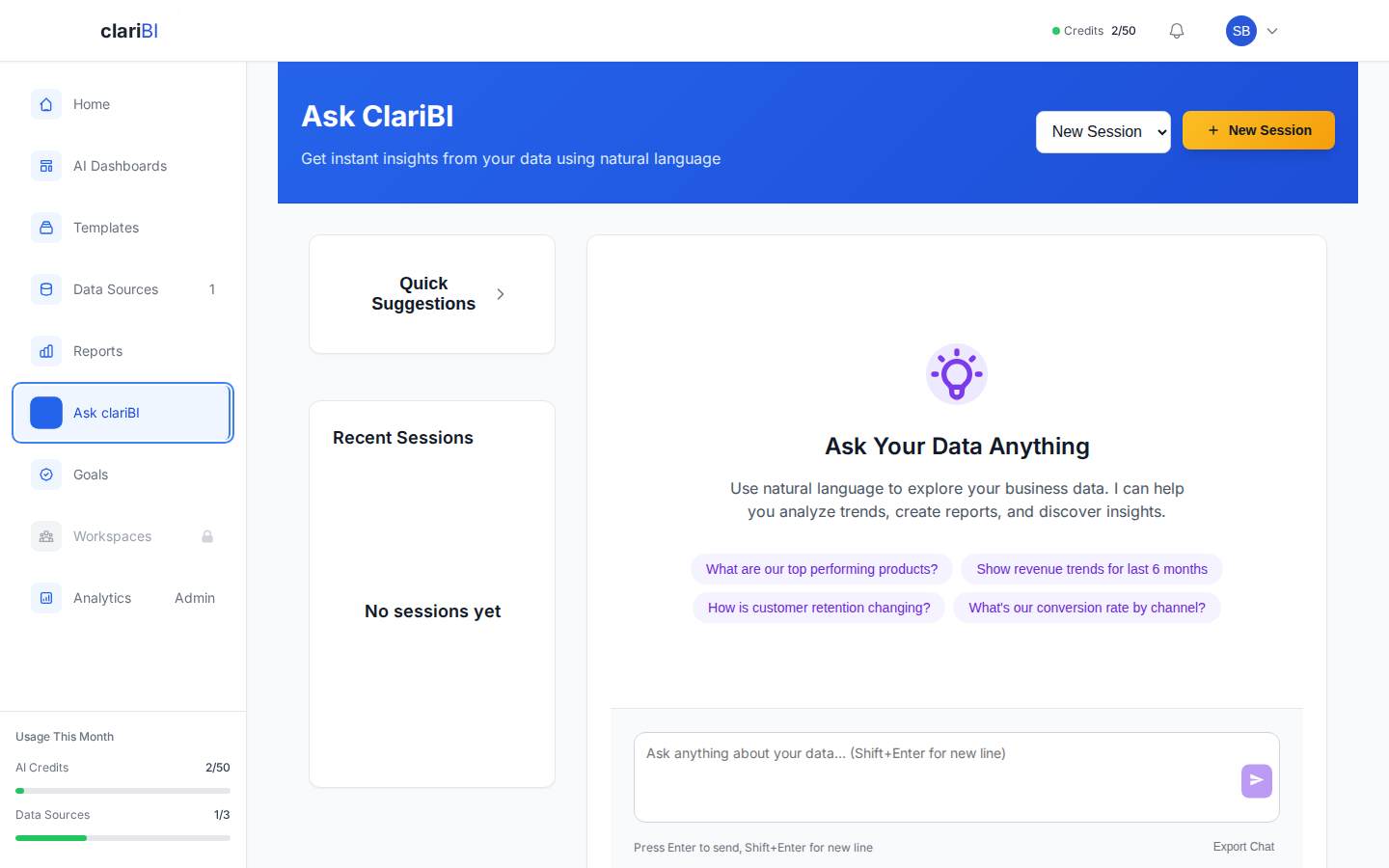
clariBI's conversational analytics engine is built on advanced AI models with several additions designed to address the limitations described above:
- Schema-Aware Queries: clariBI maintains a semantic layer that maps your business terminology to your actual data schema, reducing incorrect column references.
- Analysis Details: You can review the AI-generated analysis breakdown including data sources used and the reasoning behind the insights.
- Confidence Indicators: When the system is less certain about its interpretation, it tells you and asks for clarification rather than guessing.
- Template Integration: For common analytical patterns (cohort analysis, RFM segmentation, funnel analysis), clariBI uses pre-validated query templates rather than generating queries from scratch, which improves accuracy for these specific use cases.
- Conversation Context: Follow-up questions maintain context from previous turns, so you can iteratively refine your analysis.
clariBI does not claim to handle every possible analytical question through natural language. For complex analysis, the platform also provides traditional dashboard builders, template-based reports, and the ability to work with your data team on custom queries.
Conclusion
Natural language analytics is a genuine advancement in making data accessible to more people. It excels at simple queries, exploratory analysis, and follow-up questions. It struggles with ambiguity, complex multi-step logic, causal reasoning, and data quality issues.
The practical approach: use natural language analytics as your starting point for data exploration, verify important numbers, be specific in your questions, and know when to reach for more powerful tools. The technology will continue to improve, but understanding its current boundaries makes you a more effective user today.