Ask clariBI: your first question
How to ask questions about your data in plain English with Ask clariBI: starting a session, choosing data sources, phrasing questions, reading the answer and saving it as a report.
What Ask clariBI does
Ask clariBI is a chat where you type a question about your connected data in plain English. It works in three stages:
- The AI reads your question and plans which data and calculations answer it.
- clariBI runs those calculations on your data with regular analytics code. The numbers come from your data, not from the language model.
- The AI writes the answer around the computed numbers, with charts and key insights.
Every figure in the written answer is checked against the computed results, and a sentence with a number the data cannot back is removed.
Ask clariBI is available on the Trial, Starter, Professional and Enterprise plans. The Ask clariBI page in the documentation is a one-page summary of this article.
Open it
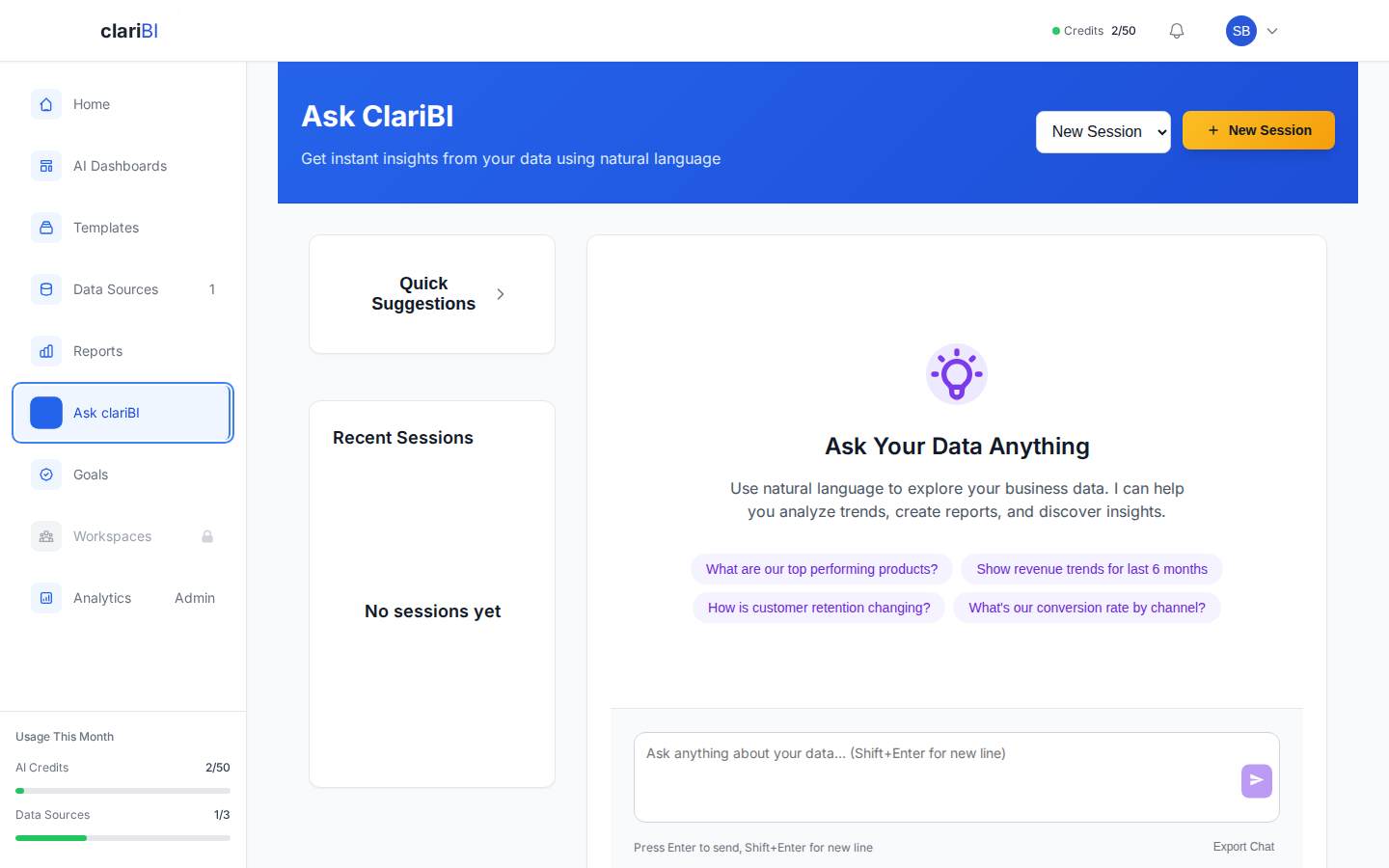
Click Ask clariBI in the sidebar (or Ask AI on the Home page).
Start a session
A session is one conversation with its own history and data sources.
- Click New Session.
- Optionally give it a Session Name; leave it empty and one is generated.
- Tick the Data Sources the session should use. You can pick several, for example Google Analytics and Stripe. A question can then combine them: clariBI lines up a metric from several sources by date or by a shared column, correlates two sources' daily totals, or matches individual records on a shared key such as an email address.
- Click Create Session.
Your earlier sessions are listed under Recent Sessions. Click one to continue it.
Ask
Type in the box at the bottom and press Enter (Shift+Enter adds a new line). If you are not sure where to start, click one of the example questions or open Quick Suggestions; Refresh suggestions gives you new ones based on your data. There are more ideas in 30 example questions that get good results.
While the answer is being prepared you see its progress. The stop button cancels the analysis, and no further credits are charged after you stop it.
Read the answer
An answer can include:
- A written answer with the numbers that matter
- One or more charts
- Key Insights and Recommendations
- Continue exploring: follow-up questions you can click
Click a chart point to open its drill-down panel and see how the value was calculated. How the AI chooses charts explains the chart choice and the other checks you can make.
Phrasing that works
Name the time period.
| Instead of | Try |
|---|---|
| "How are sales?" | "What were total sales in March 2026?" |
| "Is revenue up?" | "How does revenue this month compare to last month?" |
| "Show recent data" | "Show daily orders for the last 30 days" |
Name the metric.
| Instead of | Try |
|---|---|
| "How are we doing?" | "What is our conversion rate this quarter?" |
| "Show me the numbers" | "Show revenue by product category" |
Ask for comparisons and trends. "Compare Q1 and Q2 revenue by region", "Is churn going up or down over the last 12 months?"
Follow-up questions
The session remembers earlier questions, so you can continue:
- "What was revenue last month?"
- "Break that down by product category."
- "Which category grew most compared with the month before?"
Ask about a dashboard widget
Click a chart point on a dashboard or report to open its drill-down panel, then click the button there to ask the AI about it. clariBI opens a new session scoped to that widget's data, with a suggested first question. The question box shows which widget you are asking about until you clear that context.
Save as a report
Click Save as Report to keep the session as a report in Reports. From there you can download it as a PDF and share it.
Credits
Each question uses AI credits: at least 1 per AI call, more when the question needs more data or a longer answer. A short question about one source costs less than a broad question across several sources. Your balance is in the sidebar under Usage This Month; how AI credits work has the details.
Ways to use fewer credits:
- Select only the sources a session needs.
- Ask specific questions rather than "tell me everything".
- Continue a session instead of repeating context in a new one.
For a longer look at how plain-English analytics works and where it goes wrong, read how natural language analytics works.
If a source is removed
If you delete a data source that a session used, the session says so. Earlier answers stay as they were; new questions use only the remaining sources.