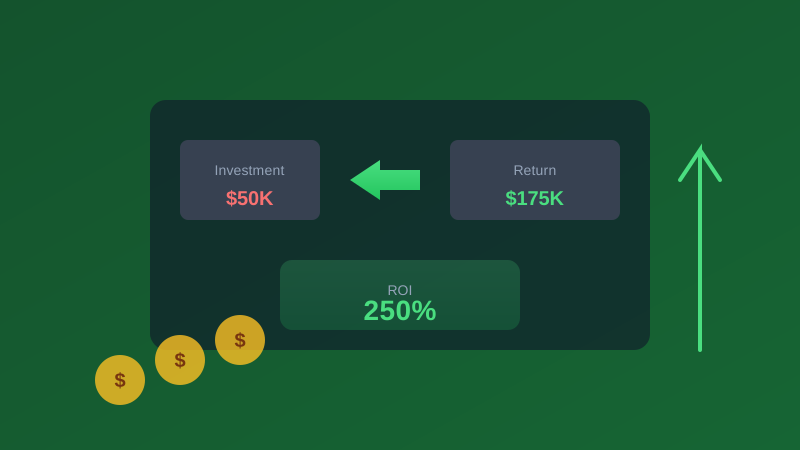
Calculating ROI for business intelligence is notoriously difficult. Unlike a new machine that produces widgets or a sales hire who closes deals, BI benefits are often indirect and distributed across the entire organization, but "hard to measure" isn't the same as "impossible to measure." This practical framework gives you the tools, formulas, worksheets, and industry-specific benchmarks to build a credible BI ROI case, whether you're justifying a new investment to a skeptical CFO, defending an existing program during budget season, or comparing deployment options for a platform migration.
Why BI ROI Is Hard to Measure (and Why You Should Do It Anyway)
Traditional ROI calculations compare a known cost to a directly attributable revenue stream. A new sales rep costs $150K loaded and is expected to close $500K in deals. That's clean, linear, and easy to present to the board. BI rarely works this way. A dashboard doesn't close a deal directly, but the insight it surfaced might have been the reason the sales team prioritized that account. A forecasting model doesn't reduce inventory costs on its own, but the supply chain manager used its output to change ordering patterns that saved $200K in carrying costs.
This indirection makes measurement challenging, but not measuring BI ROI is far worse. Without demonstrated value, BI budgets become easy targets during cost-cutting cycles. Analytics teams that can't articulate their impact get consolidated, deprioritized, or eliminated entirely, and without a framework for measuring returns, you can't optimize your BI investment toward higher-impact use cases. You're flying blind about which dashboards deliver value and which are expensive shelf-ware.
Research consistently shows that companies with mature analytics practices outperform peers significantly. Nucleus Research estimated that analytics returns $13.01 for every dollar spent, though this vendor-funded figure has been debated. Forrester's vendor-commissioned Total Economic Impact studies have reported 200-400% ROI over three years for well-implemented BI programs. IDC research suggests that organizations with strong data practices tend to see meaningfully higher revenue growth than competitors than competitors. The key phrase in all of this is "well-implemented" - measuring ROI forces you to define what "well-implemented" means for your specific organization and continuously optimize toward that standard.
The BI Value Framework: Four Categories of Return
BI creates value in four distinct categories. Each requires a different measurement approach, has different time horizons for realization, and carries different levels of attribution confidence. A complete ROI analysis should address all four, even if some categories rely on estimates rather than precise measurements.
Category 1: Time Savings (Easiest to Quantify)
Time savings are the most concrete and defensible BI benefit because they involve directly observable changes to how people spend their working hours. They're also the first benefits realized, making them ideal for early ROI reporting.
Report creation and distribution:
- Hours previously spent building recurring reports manually in Excel, pulling data from multiple sources, formatting, creating charts, checking formulas, and distributing via email
- Time spent reformatting the same analysis for different audiences (the CEO wants a summary, the VP wants details, the board wants a different date range)
- Analyst hours consumed by creating the same analysis repeatedly when it could be automated
Example calculation: A finance team of 6 analysts spends a combined 40 hours per month creating and distributing 12 recurring reports. After BI implementation, automated dashboards reduce this to 5 hours of maintenance and quality review. Savings: 35 hours per month multiplied by $65 per hour (fully loaded analyst cost including benefits, overhead, and tools) equals $2,275 per month, or $27,300 per year. This single benefit often covers the cost of a small BI platform subscription.
Information search and retrieval:
- Time employees spend looking for data across disconnected systems. Logging into different tools, running separate queries, copying results into a shared document
- Hours spent in meetings debating whose version of the numbers is correct, a phenomenon sometimes called "data reconciliation meetings" that can consume 5-10 hours per week in data-immature organizations
- Time spent waiting in queue for IT or a data team to fulfill ad-hoc data requests, which in many organizations averages 3-5 business days
Example calculation: A 500-person company where knowledge workers spend an average of 2.5 hours per week searching for information across different systems (a conservative estimate backed by A McKinsey Global Institute study estimated employees spend 1.8 hours per day searching for information). A centralized BI platform with self-service access reduces this to 45 minutes per week. Savings: 500 employees multiplied by 1.75 hours saved multiplied by $50 average hourly cost multiplied by 50 work weeks equals $2,187,500 per year in recovered productivity, and even if only 20% of the company actively uses the BI system, that's $437,500 per year. Well above the cost of most BI implementations.
IT request reduction:
- Number of ad-hoc data requests submitted to IT or analytics teams per month
- Average time for a data engineer or analyst to fulfill each request (including clarification, querying, formatting, and delivery)
- Opportunity cost of skilled technical staff working on ad-hoc requests instead of building infrastructure, improving data quality, or developing advanced analytics capabilities
Example calculation: IT receives 100 ad-hoc data requests per month, each averaging 3 hours to fulfill including communication overhead. Self-service BI eliminates 70% of these requests because business users can answer their own questions. Savings: 70 requests multiplied by 3 hours multiplied by $85 per hour (senior data engineer rate) multiplied by 12 months equals $214,200 per year. Additionally, those 2,520 hours of recovered engineering time can be redirected to higher-value data infrastructure work.
Category 2: Better Decisions (Largest Value but Requires Careful Attribution)
Decision improvement is typically the largest BI value driver, often representing 60-70% of total benefits. It requires more careful attribution than time savings because the connection between a BI insight and a business outcome involves human judgment and action.
Revenue from data-identified opportunities:
- Cross-sell and upsell opportunities surfaced by customer behavior analytics, identifying which customers are ready for a larger plan, which product combinations sell well together, which accounts show expansion signals
- Market opportunities spotted through competitive intelligence dashboards. Geographic gaps, underserved segments, pricing advantages
- Pricing optimization insights from demand elasticity analysis, identifying products that can sustain higher prices and promotions that drive volume without destroying margin
Example calculation: Customer segmentation analysis identifies 200 accounts with a high propensity to respond to an upgrade offer based on usage patterns matching prior successful upsells. The targeted campaign generates $150,000 in incremental annual revenue at a 70% gross margin. Attributable profit: $105,000 from a single campaign. If the BI system surfaces 4-6 such opportunities per year, the cumulative revenue impact reaches $400K-$600K annually.
Costs avoided through early warning:
- Customer churn risk identified before cancellation: the value equals retained revenue multiplied by gross margin multiplied by the probability that intervention would have failed without data
- Inventory problems detected before they cascade: the value equals avoided stockout lost sales plus avoided overstock write-downs plus avoided emergency expedited shipping costs
- Quality issues caught in production before reaching customers: the value equals avoided recall costs, warranty claims, brand reputation damage, and regulatory penalties
Example calculation: A churn prediction model flags 50 at-risk enterprise accounts worth $500,000 in combined annual recurring revenue. The customer success team intervenes proactively with personalized outreach, training offers, and executive check-ins. 30 accounts are retained that would likely have churned. Attributable benefit: 30 accounts multiplied by $10,000 average annual contract value multiplied by 70% gross margin equals $210,000 in retained gross profit per intervention cycle. Run this quarterly and the annual impact is $840,000.
Improved resource allocation:
- Marketing budget reallocation from underperforming channels to high-performing ones, informed by multi-touch attribution analytics rather than gut instinct or last-click metrics
- Sales territory optimization based on opportunity density, win rate patterns, and competitive presence analysis
- Headcount planning informed by workload analytics and demand forecasting rather than departmental lobbying
Category 3: Operational Efficiency
Process improvements enabled by data visibility translate directly to measurable cost savings or throughput improvements. These benefits typically emerge 3-6 months after BI deployment as teams learn to use analytics to optimize their workflows.
Inventory optimization:
- Reduced carrying costs from better demand forecasting and safety stock calculations
- Fewer stockout incidents and associated emergency fulfillment costs
- Lower waste from expired, obsolete, or seasonally unsellable inventory
Example calculation: Demand forecasting analytics improve forecast accuracy from 65% to 82%, enabling a 15% reduction in average inventory levels, from $2M to $1.7M. At a 25% annual carrying cost rate (including warehousing, insurance, depreciation, and opportunity cost of capital), this saves $75,000 per year in carrying costs. Simultaneously, stockout incidents decrease by 40%, recovering approximately $120,000 in previously lost sales. Total inventory-related efficiency gain: $195,000 per year.
Process cycle time reduction:
- Bottleneck identification through process mining and workflow analytics, revealing where work queues up and why
- Customer service efficiency improvements through data-informed troubleshooting guides, predictive case routing, and automated resolution of common issues
- Supply chain optimization through vendor performance scorecards, lead time analysis, and procurement spend consolidation
Customer acquisition cost reduction:
- Marketing attribution analytics directing spend toward the highest-ROI channels with actual data rather than assumptions
- Sales cycle acceleration through predictive lead scoring that focuses rep time on highest-probability opportunities
- Reduced wasted spend on campaigns, channels, and segments that analytics reveal are consistently underperforming
Category 4: Risk Reduction
Risk reduction value is calculated using expected value: the probability of a negative event occurring multiplied by the financial cost if it does occur, multiplied by the percentage reduction in probability attributable to BI capabilities.
- Fraud detection and prevention: Financial institutions using analytics-driven fraud detection typically prevent 5-10x their annual BI investment in fraud losses. A $500K analytics investment that catches $3M in fraud annually delivers immediate, measurable ROI. Pattern detection algorithms identify anomalies that rule-based systems miss, and they improve continuously as they process more data.
- Regulatory compliance automation: Automated compliance monitoring and reporting reduce the probability of regulatory fines while simultaneously cutting the manual labor cost of compliance. A single compliance violation in healthcare can cost $1M-$100M+, in financial services $10M-$1B+, and even modest risk reduction against these figures generates significant expected value.
- Customer churn prevention: Early warning systems that flag at-risk customers 60-90 days before they reach the cancellation decision point. The value is the retained revenue multiplied by gross margin, minus the cost of the intervention program. For subscription businesses, preventing churn is typically 5-7x more valuable than acquiring a replacement customer.
- Supply chain disruption mitigation: Supplier risk monitoring that identifies geopolitical, financial, and operational risks before they cause production disruptions. Value equals the avoided production downtime multiplied by the hourly cost of downtime, which for manufacturing can reach $10,000-$100,000 per hour depending on the operation.
Total Cost of Ownership: What BI Actually Costs
A credible ROI analysis requires an accurate cost denominator. Many organizations underestimate BI costs by 40-60% because they only count software licensing fees and ignore the substantial investment in implementation, training, ongoing administration, and the internal staff time required to build and maintain analytics capabilities.
Cloud BI Total Cost (SaaS Model)
- Subscription fees: $12-$70 per user per month for standard tools like Power BI, Looker, or Tableau Online. Premium AI-powered platforms range from $100-$250 per user per month. Typical mid-market deployment for 100 users: $50K-$150K per year in licensing alone.
- Implementation and configuration: Budget 1-3x the first year's subscription cost. A platform costing $100K per year typically requires $100K-$300K in implementation services including data modeling, dashboard development, data pipeline construction, and user acceptance testing.
- Training: $500-$2,000 per user for initial training, including both tool-specific skills and data literacy fundamentals. Budget an additional 20% annually for new employee onboarding and feature update training.
- Internal staff time: 0.5-2 FTEs dedicated to BI platform administration, data model maintenance, new dashboard development, and user support. At $100K-$150K fully loaded cost per FTE, this represents $50K-$300K per year depending on organizational size and complexity.
- Data integration and ETL: Connecting source systems to the BI platform is often the largest hidden cost. Each data source integration involves API configuration, data transformation logic, scheduling, error handling, and ongoing monitoring. Budget $10K-$50K per data source for initial integration and $2K-$10K per source annually for maintenance.
Typical 3-year TCO for cloud BI (100 users, 5-8 data sources): $400K-$900K
On-Premises BI Total Cost
- Software licensing: Upfront perpetual licenses of $50K-$500K+ depending on the vendor and concurrent user count, plus 18-22% annual maintenance fees for patches, updates, and vendor support.
- Infrastructure: Dedicated servers, storage arrays, networking equipment, and disaster recovery hardware. Budget $30K-$100K for initial hardware procurement plus $10K-$30K per year for maintenance, refresh cycles, and power/cooling in your data center.
- Implementation services: Typically 2-4x the first-year software cost for enterprise on-premises deployments. Large implementations with complex data models, numerous source systems, and extensive custom development regularly require $500K-$2M+ in professional services over 6-18 months.
- IT operations staff: 1-3 FTEs for server management, patching, security monitoring, backup and recovery, capacity planning, and infrastructure upgrades. At $100K-$150K fully loaded cost per FTE, this represents $100K-$450K per year in ongoing operational expense.
- Major version upgrades: On-premises BI platforms require major version upgrades every 2-3 years to maintain vendor support and access new features. Each upgrade cycle costs $50K-$200K in labor, testing, and potential downtime, plus the organizational disruption of retraining users on interface changes.
Typical 3-year TCO for on-premises BI (100 users): $700K-$2.5M+
Hybrid BI (Cloud + On-Premises)
Many enterprises operate hybrid architectures with sensitive or regulated data processed on-premises and less sensitive analytical workloads in the cloud. This approach provides flexibility but adds architectural complexity, data synchronization challenges, and the need to manage security across two environments. TCO typically falls between the cloud and on-premises ranges at $500K-$1.5M over three years, with the additional complexity budgeted as operational overhead.
Industry-Specific ROI Benchmarks
BI ROI varies dramatically by industry because data maturity, regulatory requirements, margin structures, and value creation mechanisms differ significantly. Use these benchmarks to calibrate your own ROI projections and to identify the highest-impact use cases for your industry.
Retail and E-Commerce
Typical ROI range: 200-500% over 3 years
Time to positive ROI: 4-8 months
- Primary value drivers: Inventory optimization (15-30% reduction in carrying costs through demand forecasting), pricing optimization (2-5% gross margin improvement through dynamic pricing and markdown optimization), customer segmentation (20-40% improvement in marketing campaign ROI through targeted messaging), and demand forecasting (25-50% reduction in stockout events and associated lost sales).
- Benchmark scenario: A mid-size retailer with $50M annual revenue invests $200K in analytics infrastructure and implementation. Within the first year: demand forecasting reduces inventory carrying costs by $150K, customer segmentation improves marketing ROI contributing an incremental $200K in attributable revenue, and price optimization adds $100K in margin. Total first-year benefit: $450K. Year 1 ROI: ($450K - $200K) / $200K = 125%. By year 3 with compounding optimization: 350-500% cumulative ROI.
Healthcare
Typical ROI range: 150-400% over 3 years
Time to positive ROI: 6-14 months (longer due to regulatory compliance requirements)
- Primary value drivers: Readmission reduction (10-20% improvement through predictive risk models saves $500K-$5M annually per hospital system, given CMS readmission penalties of up to 3% of Medicare reimbursement), length-of-stay optimization (0.5-1 day average reduction saves $1,000-$3,000 per patient across thousands of annual admissions), clinical pathway standardization (5-15% cost reduction by identifying and reducing unwarranted variation in care), and revenue cycle optimization (2-5% improvement in clean claim rates and days in accounts receivable).
- Benchmark scenario: A 300-bed hospital system investing $500K in analytics sees: $800K in readmission penalty avoidance through predictive models, $600K in operating cost reduction from length-of-stay optimization, and $400K in revenue cycle improvements. Total annual benefit: $1.8M. Payback period: approximately 4 months.
Manufacturing
Typical ROI range: 250-600% over 3 years
Time to positive ROI: 3-6 months
- Primary value drivers: Overall Equipment Effectiveness improvement (5-15% OEE gain translates to $500K-$5M per production line per year depending on the value of output), predictive maintenance (25-40% reduction in unplanned downtime and 10-20% reduction in maintenance costs), quality improvement (30-50% reduction in scrap and rework costs through statistical process control and real-time quality monitoring), and supply chain visibility (10-20% reduction in procurement costs through spend analysis and supplier performance tracking).
- Benchmark scenario: A manufacturer operating 5 production lines invests $300K in analytics. Predictive maintenance prevents 3 major unplanned outages worth $200K each ($600K). Quality analytics reduce scrap rates by 2 percentage points worth $350K annually. Supply chain analytics identify $150K in procurement savings. Total annual benefit: $1.1M. Year 1 ROI: ($1.1M - $300K) / $300K = 267%.
Financial Services
Typical ROI range: 300-800% over 3 years
Time to positive ROI: 3-8 months
- Primary value drivers: Fraud prevention (typically 5-10x return on analytics investment through pattern detection that catches sophisticated schemes missed by rule-based systems), credit risk management (better default prediction models reduce portfolio write-offs by 10-25%), customer lifetime value optimization (15-30% improvement in cross-sell and product recommendation conversion rates), and regulatory compliance automation (50-70% reduction in manual compliance reporting effort with improved accuracy and audit readiness).
- Benchmark scenario: A regional bank or credit union with $2B in assets invests $400K in analytics capabilities. Fraud detection identifies $2M in attempted fraud that legacy systems would have missed. Improved loan scoring reduces credit losses by $800K annually. Compliance reporting automation saves $300K in analyst time. Total annual benefit: $3.1M. Year 1 ROI: 675%.
Building Your ROI Business Case: A Step-by-Step Worksheet
Step 1: Inventory Current Pain Points (Week 1)
Interview 8-12 stakeholders across at least 4 departments and systematically document:
- What manual reporting processes exist today? How many person-hours per week do they consume across the organization?
- What business questions can the organization not answer today, or can only answer after days of manual analysis?
- What decisions are currently made with gut instinct, anecdotal evidence, or outdated data because timely analytics aren't available?
- Can anyone describe a specific instance where lack of data visibility led to a costly mistake, a missed opportunity, or a delayed decision? What was the estimated financial impact?
- How many ad-hoc data requests does the IT or analytics team receive per month? What is the average turnaround time?
Step 2: Quantify the Cost of Inaction (Week 2)
For each identified pain point, estimate the annual financial cost using conservative assumptions:
- Manual reporting: Total hours per week across all teams multiplied by average loaded hourly rate multiplied by 50 working weeks
- Slow or uninformed decisions: Estimated revenue delayed, discounts given unnecessarily, or opportunities lost due to slow data access, multiplied by 12 months. Be specific: "The sales team can't identify cross-sell opportunities, and we estimate this costs us 2-3 deals per quarter worth $50K each."
- Data errors: Number of known data errors or reconciliation failures per year multiplied by the average cost of each error (rework time, customer impact, financial restatement)
- Missed opportunities: Estimated value of 2-3 specific opportunities that the organization failed to capitalize on because data was unavailable or arrived too late
Sum these costs to establish the "cost of doing nothing" - the ongoing penalty for not investing in BI. This number often surprises stakeholders and creates urgency for the investment.
Step 3: Estimate BI Benefits Using Conservative Assumptions (Week 3)
Apply improvement percentages from the lower end of industry benchmarks to each pain point. Being conservative is critical for credibility with financial decision-makers:
- Manual reporting reduced by 60% (not the 80-90% that's technically achievable)
- Data-informed decisions improve outcomes by 10% (not the 25-30% that research suggests)
- Operational efficiency improves by 5% (not the 15-20% seen in mature implementations)
- Ad-hoc request volume decreases by 50% (not the 70-80% achievable with mature self-service)
Using conservative estimates builds credibility with CFOs and boards who are naturally skeptical of vendor promises. You can always overdeliver against a conservative projection. Underdelivering against an aggressive one damages the analytics team's credibility for years.
Step 4: Calculate Total Costs completely (Week 3)
Include all cost categories detailed in the TCO section above: software licensing, implementation services, training, internal staff allocation, data integration, and ongoing maintenance. Add a 15-20% contingency for unexpected costs. Every BI implementation encounters surprises, and budgeting for them prevents the project from stalling when they arise.
Step 5: Model Three Scenarios (Week 4)
Present conservative, moderate, and optimistic projections to give decision-makers a range rather than a single point estimate:
- Conservative: Only 50% of estimated benefits materialize (some use cases take longer to realize value than expected), and costs run 20% over budget (implementation takes longer, requires more training)
- Moderate: 75% of estimated benefits materialize on the expected timeline, costs come in at budget
- Optimistic: 100% of estimated benefits materialize, costs run 10% under budget due to strong vendor partnership and internal adoption
If the conservative scenario still shows positive ROI within 24 months, you have a strong and defensible business case. If the moderate scenario shows payback within 12 months, the investment is compelling. If even the optimistic scenario takes more than 36 months, reconsider the scope or look for higher-impact use cases to prioritize.
Step 6: Calculate Key Financial Metrics (Week 4)
Present multiple financial perspectives to appeal to different decision-making frameworks:
- Simple ROI: (Total 3-Year Benefits minus Total 3-Year Costs) divided by Total 3-Year Costs multiplied by 100. This is the most intuitive metric for non-financial stakeholders.
- Payback Period: Total Initial Investment divided by Annual Net Benefits, expressed in months. CFOs want to know how quickly the investment returns its capital.
- Net Present Value (NPV): Discount future year benefits at your company's weighted average cost of capital (typically 8-12% for most enterprises). NPV above zero means the investment creates value above the required return rate.
- Internal Rate of Return (IRR): The discount rate at which NPV equals zero. IRR above your cost of capital means the project exceeds the organization's minimum return threshold. IRR well above cost of capital means the project is strongly value-creating.
The Intangible Benefits Framework
Some BI benefits resist precise quantification but are nonetheless real, strategically important, and frequently cited by organizations that have made the investment. Include these qualitatively in your business case to paint the complete picture of BI value.
Data-Driven Culture
BI tools create a shared language for discussing performance across the organization. When every department references the same metrics, defined the same way, from the same authoritative source, meetings become more productive, cross-functional debates become evidence-based rather than opinion-based, and organizational alignment improves measurably. This cultural shift from "I think" to "the data shows" is hard to value in dollars but fundamentally transforms organizational effectiveness and decision quality at every level.
Employee Satisfaction and Retention
Data analysts and business analysts who spend 80% of their time on manual data wrangling, pulling data, cleaning spreadsheets, reconciling numbers. Are frustrated, underutilized, and likely to leave. Analysts equipped with modern BI tools who spend 80% of their time on actual analysis and insight generation are engaged, growing professionally, and far more likely to stay. Given that replacing a skilled analyst costs $50K-$100K in recruiting, onboarding, and lost productivity during ramp-up, even preventing 2-3 analyst departures per year has measurable financial value alongside the quality-of-work improvement.
Competitive Speed Advantage
Organizations that can answer business questions in minutes instead of days make faster decisions. Faster decisions compound into competitive advantage because each cycle of "observe, orient, decide, act" happens more quickly than competitors. Over time, this speed advantage compounds. Better data leads to faster decisions, which leads to better outcomes, which generates more and better data. It's difficult to assign a precise dollar value to this flywheel effect, but it's often cited as the primary strategic justification for sustained and growing BI investment.
Customer Experience
Data-informed organizations deliver demonstrably better customer experiences: personalized product recommendations based on behavior analysis, faster issue resolution through predictive support routing, proactive outreach before problems escalate into churn events, and pricing that reflects the value customers actually receive. These improvements drive retention, increase word-of-mouth referrals, and create long-term revenue value that's real but difficult to attribute precisely to any single BI investment.
ROI Timeline Expectations by Organization Size
Setting realistic timeline expectations is critical for maintaining stakeholder support during the inevitable implementation period before benefits begin to materialize.
Small Business (Under 100 Employees)
Typical investment: $10K-$50K per year in BI tools and integration
Expected payback: 2-6 months
Primary value: Report automation, elimination of manual Excel processes, and single source of truth for key metrics. Small businesses often see immediate ROI because the gap between manual processes and automated analytics is enormous, even replacing 10 hours per week of manual spreadsheet work justifies a $30K per year BI investment based on time savings alone. The challenge isn't ROI but adoption; with small teams, ensure the tool champion has protected time for setup and maintenance.
Mid-Market (100-1,000 Employees)
Typical investment: $50K-$300K per year
Expected payback: 6-12 months
Primary value: Cross-departmental decision improvement, operational efficiency, and self-service analytics that reduce dependency on IT for data access. Mid-market companies have enough data volume, organizational complexity, and decision-making scale for BI to drive meaningful efficiency gains across multiple departments simultaneously. The implementation is larger and takes longer to realize full benefits, but the magnitude of those benefits is proportionally larger.
Enterprise (1,000+ Employees)
Typical investment: $300K-$3M+ per year
Expected payback: 12-18 months
Primary value: Strategic advantage, enterprise-wide data standardization, advanced analytics (predictive models, machine learning), and risk reduction at scale. Enterprise BI deployments take longer to implement because of organizational complexity, data governance requirements, and the number of stakeholders involved, but returns are proportionally much larger because the scale of decisions influenced is massive. A 1% improvement in pricing accuracy for a $1B revenue company is worth $10M annually. Far exceeding even an aggressive BI investment.
Tips for Demonstrating Ongoing Value
Establish Baselines Before Implementation
Document current-state metrics before deploying BI so you have a clean before-and-after comparison that no one can dispute. How many hours do teams spend on manual reporting today? How many ad-hoc data requests does IT receive monthly? What is the current error rate in financial reporting? What is the average time to answer a business question? These baseline measurements are your ROI proof points. Without them, you're left arguing about hypotheticals rather than presenting hard evidence.
Collect Stories Alongside Numbers
Specific anecdotes resonate with executive audiences far more than aggregate statistics or percentage improvements. "The customer success team used the new churn risk dashboard to identify and save a $200K account that was about to leave" is more compelling and memorable than "BI delivered 215% ROI across the organization." Build a habit of collecting 2-3 concrete impact stories per quarter from different departments. These stories also serve as internal case studies that drive adoption in teams that haven't yet engaged with the platform.
Track Usage as a Leading Indicator of Value
Dashboard views, active user counts, query volume, and report access frequency are leading indicators of value realization. A $50K per year dashboard that's viewed twice a month is generating minimal value regardless of how well-designed it is. A $50K per year dashboard used daily by 15 decision-makers is almost certainly influencing decisions and creating value. Track usage metrics alongside financial value metrics to identify underperforming assets that need redesign, better training, or retirement.
Report ROI Quarterly, Not Annually
Don't wait for annual budget reviews to communicate BI value. Publish a brief quarterly value report that includes: total BI costs this quarter, estimated benefits realized (with methodology), 2-3 specific success stories with stakeholder quotes, platform usage statistics and adoption trends, and a roadmap for the next quarter's planned improvements. This regular cadence keeps the value conversation active, builds cumulative evidence that compounds across reporting periods, and protects the BI budget during planning cycles when every line item faces scrutiny.
Be Transparent About Challenges
Acknowledging difficulties builds far more credibility than relentless optimism. "Adoption in the sales team was slower than planned in Q1, but the 40% who engaged saw measurable pipeline improvement; we're partnering with sales leadership to redesign the onboarding experience for Q2" is more trustworthy and actionable than cherry-picking only positive metrics. CFOs and boards respect transparency because it signals that the team is self-aware, is actively managing the investment, and can be trusted with future resources.
Frequently Asked Questions
What is a realistic ROI expectation for a first BI deployment?
For a well-planned deployment with executive sponsorship and clear use cases, expect 150-300% ROI over the first three years. Year one often shows modest returns as implementation, training, and organizational change management consume time and resources. Year two is typically when adoption reaches critical mass, users develop proficiency, and benefits accelerate as the organization learns to ask better questions of its data. Year three and beyond show compounding returns as the foundation supports increasingly sophisticated use cases. Predictive models, prescriptive recommendations, and embedded analytics in operational workflows. If your conservative ROI projection doesn't show positive returns within 18 months, reconsider either the scope (too ambitious for a first deployment) or the approach (insufficient executive sponsorship or unclear use cases).
How do I convince a skeptical CFO to invest in BI?
Lead with the most concrete, defensible benefit: time savings. Calculate the hours your organization currently spends on manual reporting, data reconciliation, and ad-hoc request fulfillment. Multiply by fully loaded hourly costs. This number alone often exceeds the proposed BI investment and requires no assumptions about improved decision quality. Then add 2-3 specific, conservative decision improvement scenarios tied to known business problems the CFO already cares about. Finally, propose a phased approach: invest a smaller amount in a 90-day pilot targeting one high-value use case, measure the results rigorously, and use those results to build the expanded business case. This reduces risk and gives you real internal data, not vendor benchmarks. For the full business case.
Should BI ROI be measured at the project level or the program level?
Both, but for different purposes. Individual project ROI (this dashboard, this data integration, this analytics model) helps you prioritize resources and identify which investments deliver the highest returns. Program-level ROI (the total BI investment including shared infrastructure, tools, team, and governance) justifies the overall commitment to leadership and the board. Be careful not to double-count benefits across projects. Create a central BI value register that catalogs unique benefits and prevents the same $100K savings from being claimed by three different dashboard initiatives.
What is the ROI of replacing spreadsheet-based reporting with a BI platform?
This is among the easiest BI ROI cases to calculate because the baseline is highly visible and measurable. Audit the current state: hours spent per week on manual data collection, formatting, formula maintenance, cross-referencing between spreadsheets, and distribution. Measure the error rate. Research from the University of Hawaii found that 88% of spreadsheets contain at least one error, and some of those errors are financially material. Measure the data latency. How stale is the information by the time the spreadsheet reaches the decision-maker? For a typical 10-person finance or analytics team spending 30% of their time on spreadsheet-based reporting, replacing this with automated BI dashboards saves 600-800 hours per year. Worth $40,000-$60,000 in direct labor costs before counting the substantial value of reduced errors, faster time-to-insight, and consistent methodology across the organization.
How do organizations with the highest BI ROI differ from those with low ROI?
Research from TDWI, Gartner, and McKinsey consistently identifies five differentiators: First, high-ROI organizations have strong executive sponsorship. A C-level champion who uses the analytics personally and expects others to do the same. Second, they invest in data quality before building dashboards, understanding that garbage-in-garbage-out applies regardless of how sophisticated the BI platform is. Third, they focus on a small number of high-impact use cases rather than trying to build everything at once. Fourth, they invest in user training and change management, recognizing that a tool people don't use has zero ROI regardless of its technical sophistication. Fifth, they measure and communicate value continuously rather than treating ROI as a one-time justification exercise at procurement time.
Conclusion
BI ROI is real, measurable, and significant when approached with the right framework. Start with time savings for immediate, defensible wins that build organizational confidence. Track specific decisions influenced by BI for the larger value attribution that demonstrates strategic impact. Apply industry-specific benchmarks to calibrate expectations and identify the highest-impact use cases for your sector, and be relentlessly conservative in your projections. Underdelivering against an aggressive estimate damages credibility far more than overdelivering against a conservative one.
The organizations that successfully measure and communicate BI ROI are the ones that sustain investment through budget cycles, expand from pilot to enterprise-wide deployment, and ultimately build the data-driven culture that transforms analytics from a cost center on a spreadsheet into a competitive advantage that compounds over time.
Prove your analytics ROI with clariBI. Connect your data sources, ask questions in plain English, and get answers with built-in usage tracking. Start your free trial and begin building your ROI case from day one.