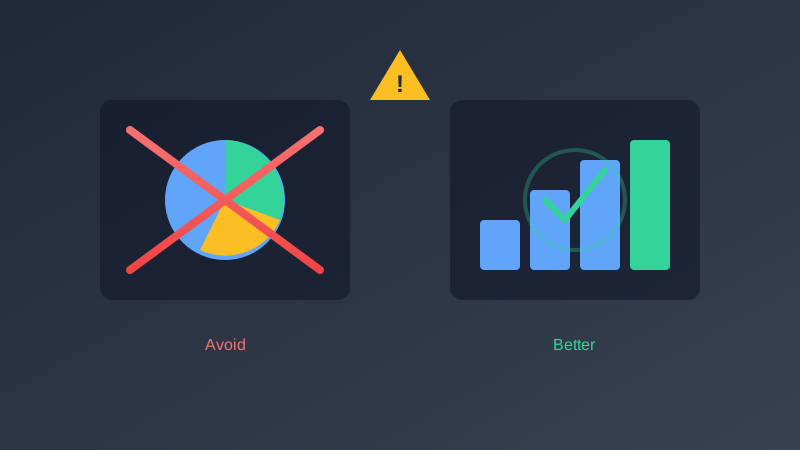
A single chart can shift a boardroom decision, redirect millions in budget, or convince a skeptical stakeholder. But that power cuts both ways. The same underlying dataset, visualized with different choices in axis scaling, color, chart type, or time range, can tell stories that aren't just different but contradictory. Data visualization mistakes aren't niche design complaints; they're business-critical errors that erode trust, trigger poor decisions, and undermine the credibility of entire analytics teams. In this guide, we break down ten of the most damaging data visualization mistakes, show real-world examples of each, and give you concrete techniques to fix them.
Mistake 1: Choosing the Wrong Chart Type for Your Data
The most foundational data visualization mistake is selecting a chart type that doesn't match the structure of your data or the point you're trying to communicate. Every chart type has a specific perceptual strength. Bar charts leverage the human visual system's excellent ability to compare lengths along a common baseline. Line charts exploit our sensitivity to slopes and continuity. Pie charts rely on angle and area judgments, which humans are notoriously poor at. When you mismatch chart type and data structure, you force your audience to work against their own perceptual wiring.
Common Mismatches
- Pie charts with more than five categories: Research by Cleveland and McGill (1984) demonstrated that humans rank angle and area judgments as the least accurate perceptual tasks. When you have seven or eight slices, readers can't reliably determine which slice is larger. A horizontal bar chart sorted by value communicates the same information instantly.
- Line charts for categorical data: Lines imply continuity and interpolation. If your x-axis shows product names, regions, or survey responses, the line between "Widget A" and "Widget B" implies a continuum that doesn't exist. Use a bar chart or dot plot instead.
- Stacked area charts for volatile data: When the individual series fluctuate significantly, stacked areas make it impossible to read any series except the bottom one. Switch to a small-multiples layout with individual line charts.
Real-World Example
A SaaS company presented quarterly revenue by product line using a pie chart with twelve slices. Five of the slices were between 6% and 9%, making them visually indistinguishable. The VP of Sales misread the chart and concluded that Product C and Product F had equal revenue. When the data team rebuilt it as a horizontal bar chart sorted by revenue, the $1.4M difference between those two products was immediately obvious. That difference represented the budget for an entire regional team.
How to Fix It
Before choosing a chart type, ask yourself three questions: Am I comparing discrete values? Am I showing change over time? Am I showing composition or proportion? Your answer maps directly to bar charts, line charts, and proportional charts, respectively. When in doubt, a bar chart is almost never wrong.
Chart Selection Guide
- Comparing values: Bar chart (horizontal for many items, vertical for few items or time-based categories)
- Showing trends over time: Line chart or area chart
- Parts of a whole (five or fewer parts): Pie chart or donut chart
- Correlation between two variables: Scatter plot
- Distribution of a single variable: Histogram or box plot
- Comparing multiple distributions: Violin plot or small-multiple histograms
- Geographic patterns: Choropleth map or bubble map
Mistake 2: Truncated Y-Axes on Bar Charts
Starting a bar chart's y-axis at a value other than zero is one of the most frequently cited misleading chart techniques, and for good reason. Bar charts encode values as lengths. When you cut off the bottom of the bars, you destroy the proportional relationship that makes bar charts work. A 2% difference can be made to look like a 200% difference.
The Problem in Detail
Consider two competing products with market share of 48% and 51%. On a bar chart starting at zero, the visual difference is minimal, which accurately represents the real-world situation. But start the y-axis at 45%, and suddenly one bar appears more than three times the height of the other. News organizations, political campaigns, and corporate presentations exploit this technique routinely, whether by intention or ignorance.
Real-World Example
A well-known cable news network displayed a bar chart of tax rates over two years. The y-axis started at 34%, making a change from 35% to 39.6% appear as though the rate had increased by roughly 500%. The chart went viral as a textbook example of misleading visualization. The actual increase was 13%, but the visual impression was catastrophic growth.
When Truncation Is Acceptable
- Line charts showing small but meaningful variations: Line charts encode values as position, not length, so truncation is less deceptive. A stock price chart starting at zero would compress meaningful daily movements into invisible jitter.
- When zero isn't a meaningful baseline: Temperature charts, standardized test scores, and other interval data where zero is arbitrary.
- When explicitly noted: If you add a clear axis break symbol and label, and your audience has the statistical literacy to interpret it correctly.
How to Fix It
For bar charts, always start at zero. No exceptions. If the differences you want to highlight are too small to see at the zero baseline, that's information in itself: the differences are small. If you genuinely need to show small differences, switch to a dot plot, slope chart, or table with sparklines. For line charts where truncation is warranted, include a visible axis break symbol and clearly label the axis range.
Mistake 3: Too Much Data, Too Little Clarity
Edward Tufte introduced the concept of the "data-ink ratio": the proportion of a graphic's ink devoted to displaying actual data. The higher the ratio, the better. But many analysts interpret "show the data" as "show all the data at once." The result is charts so cluttered that the insight drowns in noise.
Signs of Visual Overload
- More than seven data series on a single chart, each with its own color in the legend
- Legends that are longer than the chart itself or require readers to match colors by memory
- Axis labels that overlap, rotate 45 degrees, or shrink to 6-point type
- Users who look at the chart and their first question is "what am I looking at?" rather than a question about the data
- Tooltips that are the only way to extract any meaningful information from the visualization
Real-World Example
An enterprise analytics team built a line chart tracking 14 KPIs over 24 months. Each KPI had its own colored line. The resulting chart looked like a plate of multicolored spaghetti. During the quarterly review, the CEO spent 90 seconds trying to find the revenue line before saying, "Can someone just tell me the number?" The chart was replaced with four small-multiple charts grouped by business function. The next review ran 20 minutes shorter.
How to Fix It
- Filter ruthlessly: Show only the three to five most relevant data series. Move the rest to an appendix or drill-down view.
- Aggregate strategically: Group the bottom ten products into an "Other" category. Your audience cares about the top performers, not the noise floor.
- Use small multiples: Instead of one chart with twelve lines, create a grid of twelve charts with one line each, sharing the same axis scale. Patterns that are invisible in spaghetti charts become obvious in small multiples.
- Layer information with interactivity: Show the summary by default. Let users click to reveal detail. This respects both the executive who needs the headline and the analyst who needs the granularity.
Mistake 4: Ignoring Color Accessibility
Approximately 8% of men and 0.5% of women have some form of color vision deficiency, most commonly red-green (deuteranopia and protanopia). In a meeting of twenty people, statistically one or two can't distinguish your red "bad" from your green "good." When your visualization relies solely on color to encode meaning, you're excluding a meaningful fraction of your audience and potentially hiding critical information from key stakeholders in data-driven roles.
Problematic Combinations
- Red and green for positive and negative: The single most common colorblindness type makes these colors nearly identical. A dashboard where green means "on track" and red means "at risk" becomes a dashboard where everything looks the same shade of brown.
- Subtle color gradients as the only differentiator: A heatmap that runs from light blue to dark blue to light red to dark red may lose its entire middle range for colorblind viewers.
- More than six colors without redundant encoding: Even for viewers with full color vision, distinguishing more than six or seven categorical colors is unreliable, especially when the colored elements are small (like dots in a scatter plot).
Real-World Example
A hospital dashboard used green, yellow, and red circles to indicate patient acuity levels. A newly hired charge nurse with deuteranopia couldn't distinguish the green and red indicators and relied on memorizing patient room numbers to determine acuity. The issue was only discovered after a near-miss incident. Redesigning the indicators to use shapes (circle for stable, triangle for caution, diamond for critical) plus color resolved the issue immediately.
How to Fix It
- Use redundant visual encoding: Combine color with shape, pattern, size, or direct labels. If a viewer can't perceive the color difference, they can still read the label or recognize the shape.
- Choose colorblind-safe palettes: Blue and orange are distinguishable by nearly all types of color vision deficiency. The Viridis, Cividis, and ColorBrewer palettes are specifically designed and tested for accessibility.
- Vary line styles: Solid, dashed, and dotted lines provide differentiation independent of color.
- Test with simulation tools: Use browser extensions like Colorblinding or built-in OS accessibility features to preview your charts under simulated color vision deficiency conditions.
- Add direct labels: When possible, label data series directly on the chart rather than relying on a color-matched legend that requires the viewer to visually match a small color swatch to a data element.
Mistake 5: Missing Context and Benchmarks
A number without context is just a number. Showing that your website had 42,000 visitors last month tells your audience nothing about whether that's cause for celebration or concern. Without comparisons, targets, or historical baselines, you're forcing your audience to supply their own context, and they will almost always supply the wrong one.
Essential Context Elements
- Temporal comparisons: How does this period compare to the previous period? To the same period last year? Showing a revenue line without at least one comparison line is presenting data without analysis.
- Targets and benchmarks: Where should this number be? A horizontal reference line at the target value instantly transforms a chart from "here's what happened" into "here's whether we're succeeding."
- Annotations for anomalies: If revenue spiked in March, annotate the chart with "Spring sale launched March 3" so viewers don't waste time speculating. Annotations transform charts from puzzles into narratives.
- Metric definitions: "Active users" means different things to different teams. Include a subtitle or tooltip that defines exactly what the metric measures and how it's calculated.
Real-World Example
A marketing team reported 15,000 new leads in Q3. The CEO was unhappy. "Is that good?" she asked. It turned out Q3 target was 12,000 and Q2 actual was 9,800. The 15,000 figure represented a 53% quarter-over-quarter increase and was 25% above target. A simple line chart with a target line and Q2 comparison would have made the result self-evidently impressive. Instead, the team spent 15 minutes of the executive meeting defending a number that needed no defense.
How to Fix It
- Add reference lines for targets, averages, and prior-period values
- Include period-over-period change indicators (arrows, percentages, or sparklines)
- Annotate significant events directly on the time axis of your chart
- Provide subtitles that define the metric and its calculation methodology
- Use conditional formatting (colors, icons) to indicate performance against target, but always with redundant non-color encoding
Mistake 6: Inconsistent Scales Across Related Charts
When you place two or more charts side by side on a dashboard, viewers instinctively compare them visually. If Chart A has a y-axis running from 0 to 100 and Chart B has a y-axis running from 0 to 10,000, a tall bar in Chart A and a short bar in Chart B will be visually compared as if they're on the same scale. The result is that a small number looks bigger than a large number, purely because of the chart framing.
The Problem in Practice
Imagine a dashboard showing "Website Visits" (range: 50,000 to 80,000) next to "Conversions" (range: 200 to 400). If both charts auto-scale to fill the same vertical space, the conversions chart looks equally dynamic and large-scale as the visits chart, completely obscuring the 200:1 ratio between the two metrics. A stakeholder glancing at the dashboard might conclude that conversions are keeping pace with visits, when in fact the conversion rate is declining.
Real-World Example
A retail analytics dashboard displayed four region-level revenue charts in a 2x2 grid. Each chart auto-scaled independently. The North region ($2M-$2.1M range) and the South region ($50K-$80K range) appeared to have comparable visual magnitude. A regional director used the dashboard to argue that the South region was "performing at a similar level" to the North. It took the data team a week to rebuild the dashboard with consistent scales and walk back the misinterpretation.
How to Fix It
- Lock y-axis scales across related charts: If you're comparing regions, products, or time periods, every chart in the set should share the same axis range.
- When scales must differ, make it visually unmistakable: Use different chart types, different sizes, or prominent axis labels that force the viewer to notice the scale difference.
- Use normalized values when comparing different magnitudes: Show percentage change, index values (with a base of 100), or z-scores instead of raw values when the absolute scales are wildly different.
- Consider a single chart with dual encoding: Instead of two separate charts, combine them into one with primary and secondary visual encodings (e.g., bar height for visits, dot position for conversion rate).
Mistake 7: Decoration Over Communication
Tufte called it "chartjunk": non-data ink that clutters a visualization without conveying information. Gradient backgrounds, 3D bevels, shadow effects, clip art, decorative icons, and excessive gridlines all compete with the data for the viewer's attention. Every pixel of your chart should either represent a data point or provide essential structural context like axis labels and titles.
Common Offenders
- Background images and textures: A bar chart of quarterly revenue overlaid on a photo of dollar bills doesn't make the data more compelling. It makes the bars harder to read.
- Gratuitous gridlines: Every gridline is a visual element that the eye must process and then dismiss. Use at most two or three light gridlines, or none at all if your bars have direct labels.
- Heavy borders, boxes, and frames: A border around every chart, a border around the dashboard, borders around the legend. Each one adds visual weight without adding information.
- Animated transitions for static data: Bars that grow from zero, pie slices that spin in, numbers that count up. These animations delay comprehension and add nothing for returning viewers who see the dashboard daily.
- Pictograms and infographic icons: Using icons of little people to represent population counts or stacks of coins to represent revenue looks creative in a design portfolio but fails in analytical contexts where precision matters.
Real-World Example
An agency prepared a client report with bar charts featuring gradient fills, drop shadows, rounded 3D bars, a textured background, and animated entrance effects. The client's feedback: "This looks very polished, but I can't actually tell which month had the highest sales." The designer had optimized for aesthetics rather than communication. A redesign using flat bars, direct labels, and a white background took 30 minutes and made the data immediately readable.
How to Fix It
- Apply the "remove and see if it breaks" test: delete each visual element one at a time. If removing it doesn't reduce the viewer's understanding, leave it out.
- Use subtle, light-gray gridlines at most. If your data points have direct labels, you may not need gridlines at all.
- Reserve visual emphasis (bold weight, saturated color, larger size) for the single most important element in the chart. Everything else should recede.
- Use white space generously. Crowded charts feel overwhelming; breathing room invites exploration.
Mistake 8: Cherry-Picking Time Ranges
The time range you choose for a visualization fundamentally shapes the narrative. Start a revenue chart in a trough and end it at a peak, and you have a compelling growth story. Start at a peak and end in a trough, and the same company looks like it's in freefall. Both charts are "accurate," but neither is honest without additional context. Cherry-picking time ranges is one of the most insidious data visualization mistakes because it's often unintentional: analysts simply choose whatever range is conveniently available in their tool's default settings.
How Cherry-Picking Manifests
- Starting the chart right after a dip: Makes subsequent recovery look like dramatic growth rather than a return to baseline.
- Ending the chart right before a known decline: Quarterly reports that close at the end of a strong month, omitting the first week of the next month where numbers dropped.
- Using year-over-year comparisons that exploit anomalies: Comparing Q2 2024 to Q2 2023 when Q2 2023 had a two-week service outage produces a misleadingly favorable comparison.
- Zooming into a narrow window to exaggerate a trend: Showing three months of data with an upward slope when the five-year trend is flat or declining.
Real-World Example
A startup's investor deck showed monthly recurring revenue from January to June, a period that captured post-holiday growth and the onboarding of a single large enterprise client. The chart showed a steep upward trajectory. An investor who requested the full two-year chart discovered that revenue had been essentially flat for 18 months prior and that the six-month window was an anomaly, not a trend. The startup didn't close that round.
How to Fix It
- Show the longest meaningful time range: If your audience is evaluating a trend, show enough history for the trend to be contextually meaningful. For most business metrics, at least 12 months is a minimum.
- Include comparative periods: Overlay the previous year or include a moving average so viewers can distinguish signal from seasonal noise.
- Disclose your range choice: If you have a good reason to focus on a specific window, state why explicitly. "We focus on the past 90 days because we launched our new pricing model on March 1" is transparent and builds trust.
- Let users adjust the range: Interactive dashboards that allow users to zoom in and out empower the audience to verify claims and explore context on their own terms.
Mistake 9: Using 3D Charts
Three-dimensional charts are one of the most persistent bad practices in data visualization. They persist because they look impressive in a superficial way, and because tools like Excel make them easy to create. But 3D effects introduce systematic distortion that makes accurate reading impossible. Perspective projection causes elements in the "back" of a 3D chart to appear smaller than elements in the "front," even if they represent equal values. Occlusion hides data points behind other data points. And the added visual complexity serves zero analytical purpose.
Why 3D Charts Fail
- Perspective distortion in 3D bar charts: Bars in the back row appear shorter than bars in the front row, even when they represent identical values. The viewer can't compensate for this distortion mentally.
- Area distortion in 3D pie charts: The "tilt" of a 3D pie chart makes slices at the front appear larger than slices at the back. A 15% slice at the front of a tilted pie can look bigger than a 20% slice at the back.
- Occlusion in 3D scatter plots and surfaces: Data points behind other data points are literally invisible without rotation controls, which aren't available in static presentations, printed reports, or PDF exports.
- The third dimension rarely encodes data: In most 3D charts, the z-axis is purely decorative. The depth doesn't represent a variable. It's wasted visual complexity that adds no information.
Real-World Example
A financial services firm used a 3D bar chart to compare quarterly performance across six product lines. The product line rendered in the front row consistently appeared to be the top performer in management presentations, even in quarters where it was actually third or fourth. The rendering order in their charting library, not the actual data, was driving executive perception. After switching to a grouped 2D bar chart, two underperforming product lines were correctly identified and restructured, saving an estimated $3M annually.
How to Fix It
Remove the 3D effect. There's no analytical situation where a 3D chart communicates more effectively than its 2D equivalent. If you truly have three-dimensional data (two quantitative axes plus a value), use a heatmap, contour plot, or small multiples rather than a 3D surface. If your stakeholders specifically request 3D charts because they "look more professional," educate them with a side-by-side comparison showing the distortion. Most people, once they see the error, prefer accuracy over aesthetics.
Mistake 10: Dual-Axis Chart Abuse
Dual-axis charts (charts with two different y-axes, one on the left and one on the right) are among the most controversial chart types in data visualization. They appear to solve a real problem: how to show two metrics with different units or scales on the same chart. In practice, they introduce more confusion than they resolve, and they can be manipulated to imply correlations that don't exist.
The Core Problem
The relationship between the two y-axes is arbitrary. By adjusting the range of either axis, you can make the two data series appear to correlate strongly, inversely correlate, or have no relationship at all, regardless of the actual statistical relationship. A dual-axis chart showing "ice cream sales" and "drowning incidents" with carefully chosen axis ranges can make a compelling (and completely spurious) case for causation.
Real-World Example
A marketing team created a dual-axis chart showing advertising spend on the left axis and revenue on the right axis. By setting the left axis to $0-$100K and the right axis to $0-$10M, the lines appeared to track each other closely, implying a strong advertising-to-revenue relationship. An analyst on the finance team reproduced the chart with the right axis set to $0-$50M, and the "correlation" vanished. The marketing team had been using this chart to justify a $2M annual ad budget increase. After the recalibration, a proper regression analysis showed that the actual return on ad spend was significantly lower than the visual implied.
When Dual Axes Are Acceptable
- When both metrics have the same units and similar ranges, and a dual axis is used to separate them only for readability (though in this case, you probably don't need dual axes at all)
- When the chart is accompanied by a statistical analysis that independently confirms the visual relationship
- In highly technical contexts where the audience is trained to read dual-axis charts critically
How to Fix It
- Use two separate charts: Place them vertically aligned with a shared x-axis (time). The viewer can still compare trends visually, but without the misleading implication of a shared scale.
- Normalize both series: Convert both to percentage change from a baseline, index values, or z-scores. Now they share a meaningful common scale.
- Use a connected scatter plot: Plot one metric on x and the other on y, with time encoded as the path direction. This directly reveals the relationship (or lack thereof) without axis manipulation.
The Chart Selection Decision Tree
Choosing the right chart type shouldn't rely on instinct or habit. Use this systematic decision framework to match your data and communication goal to the optimal chart type.
Step 1: Identify Your Communication Goal
- Comparison: You want to compare values across categories or time periods. Go to Step 2A.
- Composition: You want to show how parts make up a whole. Go to Step 2B.
- Distribution: You want to show how data points are spread across a range. Go to Step 2C.
- Relationship: You want to show how two or more variables relate to each other. Go to Step 2D.
Step 2A: Comparison Charts
- Few categories (under 10), no time component: Vertical bar chart or horizontal bar chart (horizontal is better when category labels are long).
- Many categories (10+): Horizontal bar chart sorted by value. Consider showing only the top and bottom N with a note about omitted middle values.
- Over time, few series (1-3): Line chart with clear legend or direct labels.
- Over time, many series (4+): Small multiples or highlight the most important series and gray out the rest.
Step 2B: Composition Charts
- Static, few categories (2-5): Pie chart or donut chart with direct percentage labels.
- Static, many categories (6+): Horizontal stacked bar chart or treemap.
- Over time: Stacked area chart (if the total matters) or 100% stacked bar chart (if proportions matter more than absolute values).
Step 2C: Distribution Charts
- Single variable: Histogram (for continuous data) or bar chart of frequencies (for discrete data).
- Comparing distributions: Side-by-side box plots, overlapping histograms with transparency, or violin plots.
- Large datasets: Density plots or 2D density plots (hexbin) for scatter data.
Step 2D: Relationship Charts
- Two quantitative variables: Scatter plot. Add a trend line if the relationship is approximately linear.
- Three variables: Bubble chart (third variable as size) or scatter plot with color encoding.
- Correlation matrix: Heatmap of correlation coefficients for many variable pairs simultaneously.
Color Theory for Data Visualization
Color isn't decoration in data visualization; it's a channel for encoding information. Used correctly, color can highlight patterns, distinguish categories, and convey magnitude. Used carelessly, it confuses, misleads, and excludes. Understanding the fundamentals of color theory as they apply specifically to data visualization will dramatically improve chart design best practices.
Sequential Color Scales
Use a sequential scale (light to dark, or cool to warm) when your data has a natural order from low to high. Heatmaps, choropleths, and any visualization showing magnitude should use sequential scales. Effective sequential palettes use a single hue with varying lightness (light blue to dark blue) or a perceptually uniform palette like Viridis that maintains consistent perceived brightness steps.
Diverging Color Scales
Use a diverging scale when your data has a meaningful midpoint, and values above and below that midpoint have different meanings. Profit/loss, above/below average, and positive/negative sentiment all warrant diverging scales. Choose two distinct hues for the extremes (e.g., blue for negative, orange for positive) with a neutral midpoint (white or light gray). Avoid red/green diverging scales for accessibility reasons.
Categorical Color Palettes
When encoding unrelated categories, each color should be maximally distinguishable from every other color. Limit yourself to six or seven categorical colors at most. Beyond that, the human visual system can't reliably distinguish small color patches. If you have more categories, consider grouping, faceting, or interactive filtering instead of adding more colors.
Key Principles
- Avoid rainbow palettes: The rainbow color map (red-orange-yellow-green-blue-violet) isn't perceptually uniform. Yellow appears brighter than blue, creating artificial visual emphasis on mid-range values. Jet and similar rainbow palettes have been widely debunked in the scientific visualization community.
- Use lightness for magnitude: Darker colors are perceived as "more" or "heavier." Ensure your sequential scales follow this perceptual mapping.
- Reserve saturated colors for emphasis: A single bright red data point on a chart of muted blues immediately draws the eye. Use this strategically to highlight outliers, anomalies, or the key insight you want your audience to notice first.
- Be consistent across dashboards: If "revenue" is blue on one chart, it should be blue on every chart in the dashboard. Inconsistent color assignment forces viewers to relearn the encoding on every chart.
Accessibility Beyond Color: WCAG Compliance for Data Visualization
Color accessibility is just one dimension of making visualizations accessible. The Web Content Accessibility Guidelines (WCAG) 2.1 provide a complete framework for ensuring that data visualizations are perceivable, operable, understandable, and robust for all users, including those with visual, motor, and cognitive disabilities.
WCAG Requirements for Charts and Graphs
- Text contrast (WCAG 1.4.3): All text in your visualization, including axis labels, legends, annotations, and tooltips, must meet a minimum contrast ratio of 4.5:1 against its background (3:1 for large text). Light gray text on a white background, a common design choice for "subtle" labels, frequently fails this requirement.
- Non-text contrast (WCAG 1.4.11): Chart elements like bars, lines, and data points must have a minimum contrast ratio of 3:1 against adjacent colors. A light blue bar against a light gray background might look aesthetically clean but fail the contrast requirement.
- Alternative text (WCAG 1.1.1): Every chart should have a text alternative that conveys the same information. For interactive dashboards, provide a data table view toggle. For static charts, write descriptive alt text that includes the key insight, not just "bar chart of revenue" but "bar chart showing revenue increased 23% from Q1 to Q4 2025, driven primarily by the enterprise segment."
- Keyboard navigation (WCAG 2.1.1): Interactive charts must be navigable via keyboard. Users should be able to tab to data points, read values via screen reader, and activate interactive elements without a mouse.
Practical Accessibility Checklist
- Test all text against the WCAG contrast ratio requirements using a tool like the WebAIM contrast checker
- Provide a data table alternative for every chart, accessible via a button or keyboard shortcut
- Use ARIA labels and roles to make SVG and Canvas charts interpretable by screen readers
- Ensure tooltips and interactive elements are keyboard-accessible and screen-reader-compatible
- Don't use color as the sole means of conveying information (WCAG 1.4.1). Pair every color encoding with a shape, pattern, label, or position encoding
- Avoid auto-playing animations. If animations are used, provide a mechanism to pause or disable them (WCAG 2.2.2)
- Test your visualizations with actual screen readers (NVDA, VoiceOver, JAWS) rather than relying on automated accessibility scanners alone
Accessibility isn't a feature; it's a requirement. Visualizations that exclude users with disabilities aren't just non-compliant with legal frameworks like the ADA and EAA; they're analytically incomplete. If a decision-maker can't access the data because of a disability, the visualization has failed at its core purpose.
Frequently Asked Questions
What is the single most common data visualization mistake?
Choosing the wrong chart type for the data. This is the most common mistake because it's the first decision in the visualization process and because most tools default to whatever chart type was used last or whatever appears first in the menu. The fix is straightforward: before opening your charting tool, identify whether you're comparing, composing, distributing, or correlating. That answer narrows your chart type options to two or three candidates, making the correct choice far more likely.
Are pie charts always bad?
No. Pie charts are appropriate when you're showing parts of a whole, when you have five or fewer categories, and when the approximate proportions (not exact values) are the message. A pie chart showing a 70/30 split communicates "one segment dominates" faster than a bar chart. But if your audience needs to compare 48% versus 52%, or if you have more than five slices, switch to a bar chart. The critique of pie charts isn't that they're inherently bad; it's that they're used in situations where they're the wrong tool.
Should I ever start a y-axis at something other than zero?
For bar charts, no. Bars encode data as length, and truncating the axis destroys the length-to-value relationship. For line charts, truncation is acceptable and often necessary because line charts encode data as position, and a zero baseline may compress meaningful variation into invisible noise. For scatter plots, use whatever range shows the relevant data distribution. The key is to match the truncation decision to the perceptual mechanism of the chart type.
How many colors can I safely use in a single chart?
For categorical encoding (where each color represents a distinct category), the practical limit is six to seven colors. Beyond that, the colors become too similar for reliable differentiation, especially for small elements like dots or thin lines. If you need more categories, use an interactive legend that highlights one category at a time, group minor categories into an "Other" bucket, or use a small-multiples layout where each panel shows one category.
What tools can I use to test my charts for colorblindness?
Several free tools exist. The Coblis Color Blindness Simulator lets you upload an image and preview it under eight types of color vision deficiency. Browser extensions like Colorblinding (Chrome) or NoCoffee Vision Simulator apply real-time filters to any web page. Both macOS and Windows have built-in color filter settings for testing. For programmatic testing, the colorspacious Python library and the d3-scale-chromatic JavaScript library include functions for simulating CVD. The best approach is to use a colorblind-safe palette from the start (like Viridis or the ColorBrewer qualitative sets) so that post-hoc testing becomes a verification step rather than a redesign trigger.
How do I make interactive charts accessible to screen reader users?
The gold standard is to provide a data table alternative that contains the same information as the chart. For SVG-based charts, use ARIA roles (role="img" on the SVG container) and an aria-label that describes the chart's key insight. For individual data points, add role="listitem" and aria-label attributes with the data value. For Canvas-based charts, provide an off-screen table that screen readers can access. Libraries like Highcharts and Google Charts have built-in accessibility modules. The most reliable test is to navigate your chart using only a keyboard and screen reader and verify that all critical information is announced.
Is it ever okay to use dual-axis charts?
In narrow technical contexts with a trained audience, dual-axis charts can be acceptable, but only when the axis scaling is documented and the audience understands the implications. For general business audiences, avoid them. The risk of misinterpretation is too high and the alternatives (separate charts with aligned time axes, normalized values, connected scatter plots) communicate more honestly with less risk. If a stakeholder insists on a dual-axis chart, add prominent annotations explaining the two scales and consider including a disclaimer about the arbitrary axis relationship.
Conclusion: Building a Culture of Honest Visualization
Data visualization mistakes are rarely the result of malice. They stem from tool defaults that prioritize appearance over accuracy, from time pressure that discourages iterative design, and from a gap between the statistical literacy of chart creators and chart consumers. Fixing these mistakes isn't about memorizing a list of rules; it's about developing a mindset that treats every visualization as a communication act with real consequences.
Start with the question your audience needs answered. Choose the simplest chart type that answers that question. Strip away every element that doesn't serve comprehension. Test for accessibility. Provide context. And always ask yourself: "If someone who disagreed with my conclusion looked at this chart, would they consider it fair?"
The best visualizations aren't the most beautiful or the most complex. They're the ones where the viewer forgets they're looking at a chart and simply understands the data. That's the standard worth pursuing.
Ready to build visualizations that communicate honestly? clariBI uses AI-recommended chart types matched to your data structure, accessible color palettes designed for readability, and automatic contextual elements like targets and period comparisons. Instead of guessing which chart type fits your data, let the AI analyze your dataset and recommend the visualization that best communicates your specific insight. Explore how clariBI approaches data visualization.